
4G AIRHOME 200 Mini router with Detachable 4G antennas
No items found.
No items found.
All questions
4G AIRHOME 200 Mini router with Detachable 4G antennas
No items found.
No items found.
How do I connect my devices with the WPS?

It is not possible to connect mobile phone by using the WPS. To connect your phone to the Wi-Fi easily, please scan the QR code located on the rear side of your router, it will automatically connect you to the network without entering the Wi-Fi Password.
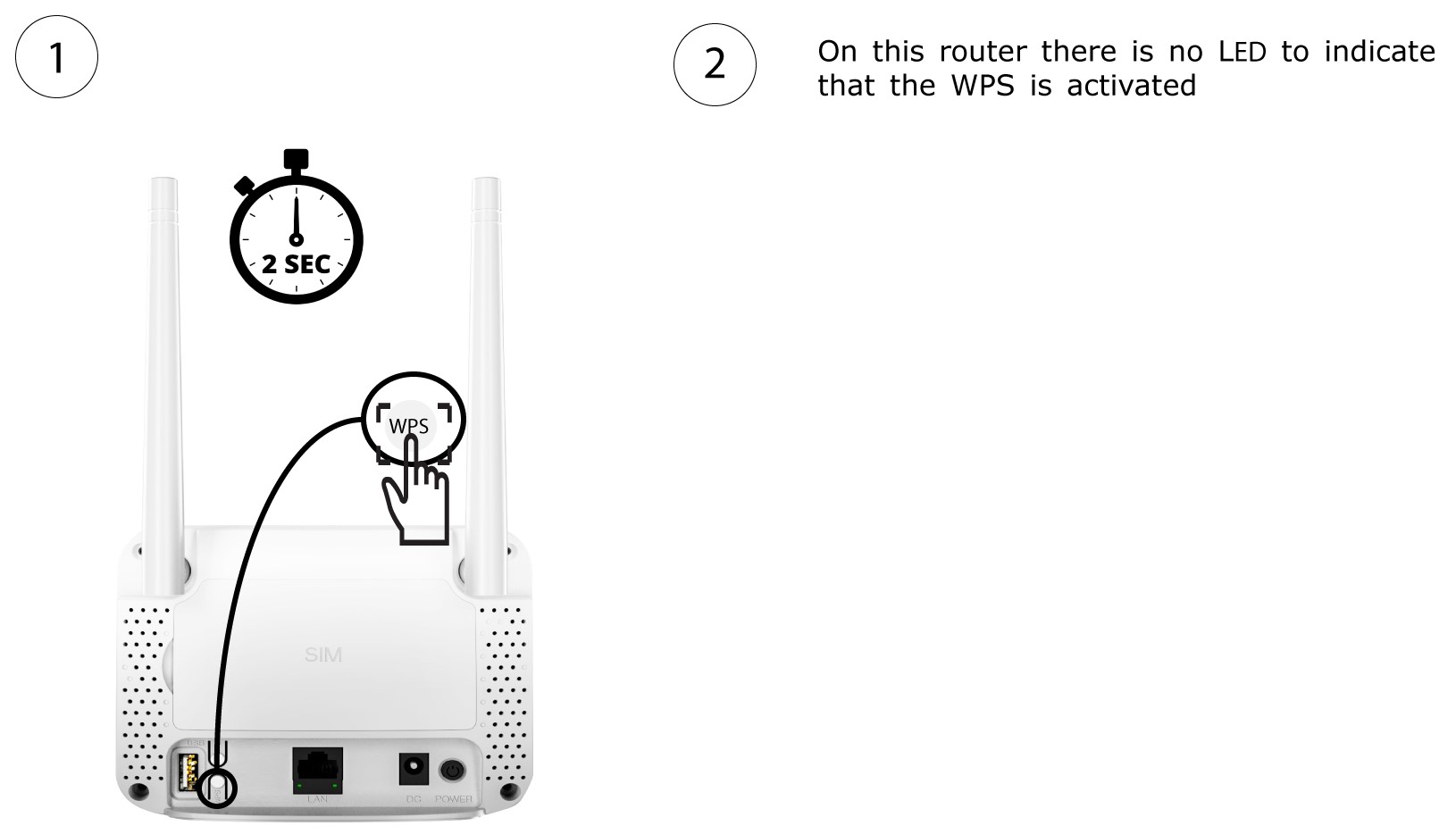
1Activate the WPS
Press the WPS button located on the rear side of the router for 2 seconds to allow any compatible device in your home to automatically to connect to the Wi-Fi network of the router.
2Select the Wi-Fi Network in the list
Go to the Wi-Fi settings of your computer and click on the name of the router to select it.

3Connect to the Wi-Fi Network
Then, click the connect button.
