No items found.
4K GOOGLE TV BOX S3+ | DOLBY VISION ATMOS
No items found.
All questions
No items found.
4K GOOGLE TV BOX S3+ | DOLBY VISION ATMOS
No items found.
Why is it still impossible to control the volume level after deactivating the volume control option?
If you still cannot control the volume with the LEAP S3 remote control, please follow the instruction below to “forget” the TV in the remote control settings.
1Settings
Press the Setting button and press the OK

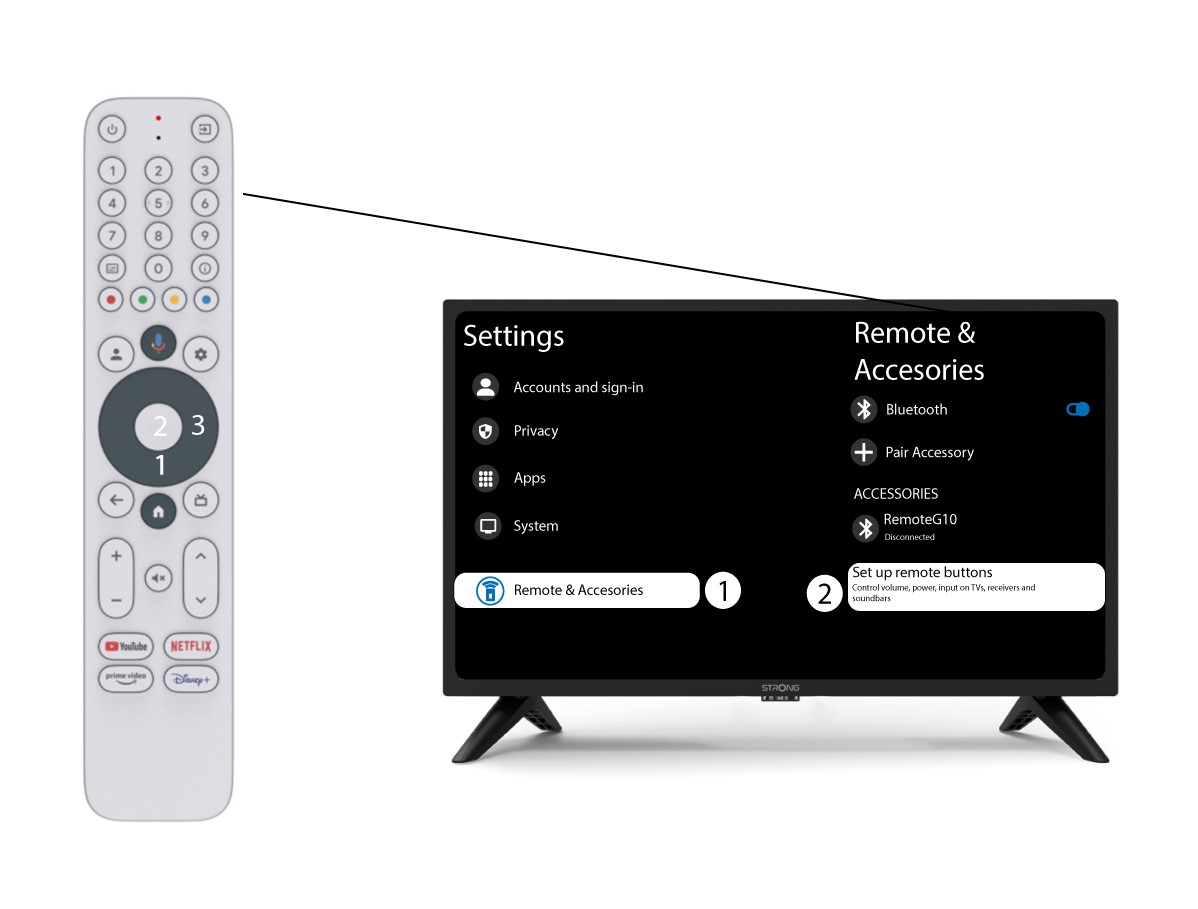
2Remote & Accessories Settings
Press the down button several times to select “Remote & Accessories” and press the OK Then, press the DOWN button several times to select “Set up remote buttons” and press the OK button.
3Forget the TV associated to the Remote Control
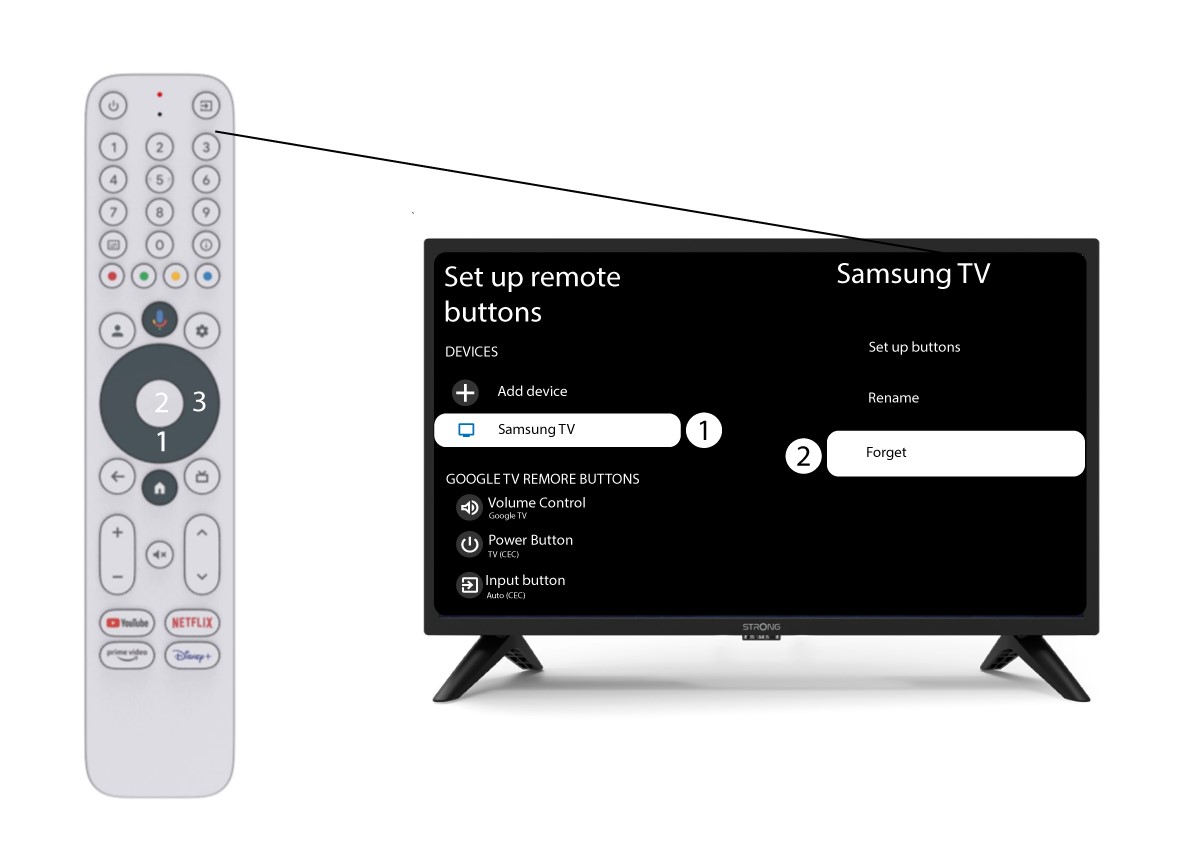
If a TV is already set up and displayed in the list, you must delete the TV from the list to reconfigure it.
To do so, select the TV brand and select “Forget” before pressing the OK to confirm.
4Check the Volume Control
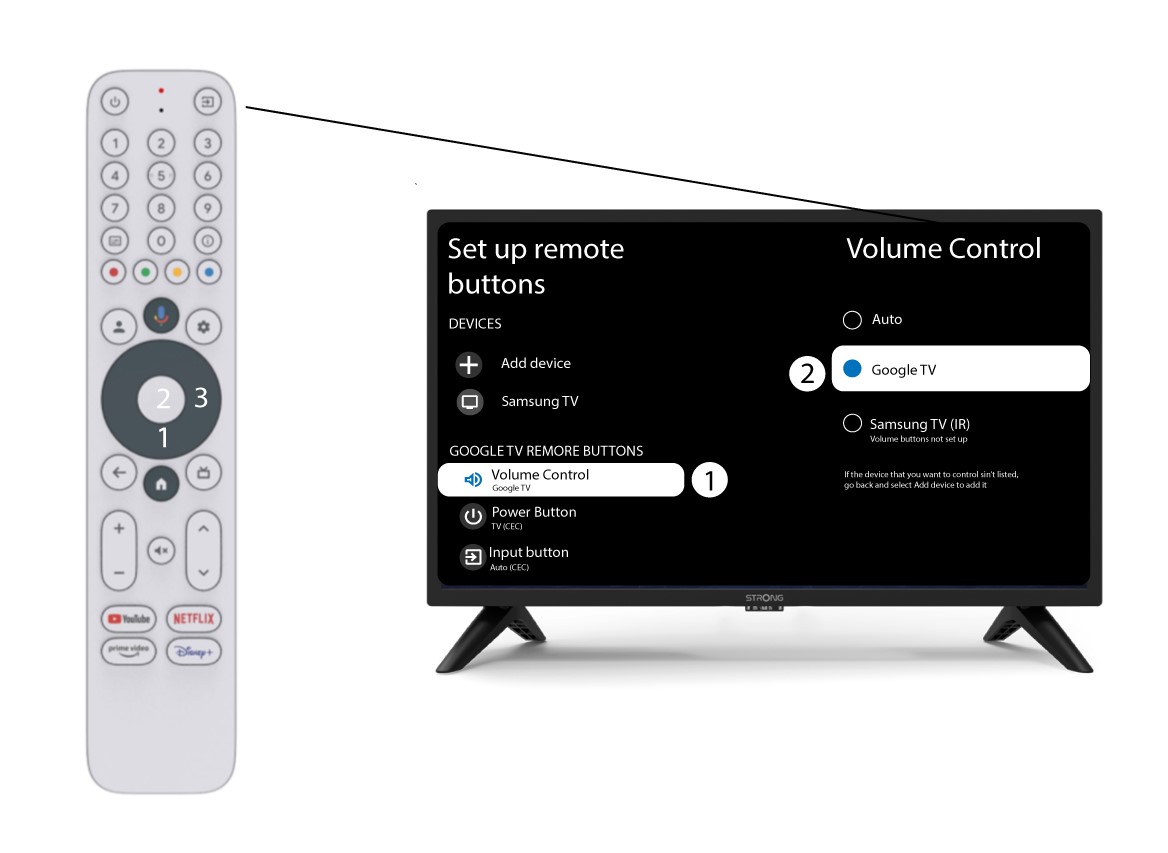
Finally, you must check if the volume control is set to Google TV. If it is not the case, please select it and the volume control should work properly on both remotes.