CPL 600 Duo Wi-Fi FR V2
No items found.
No items found.
All questions
CPL 600 Duo Wi-Fi FR V2
No items found.
No items found.
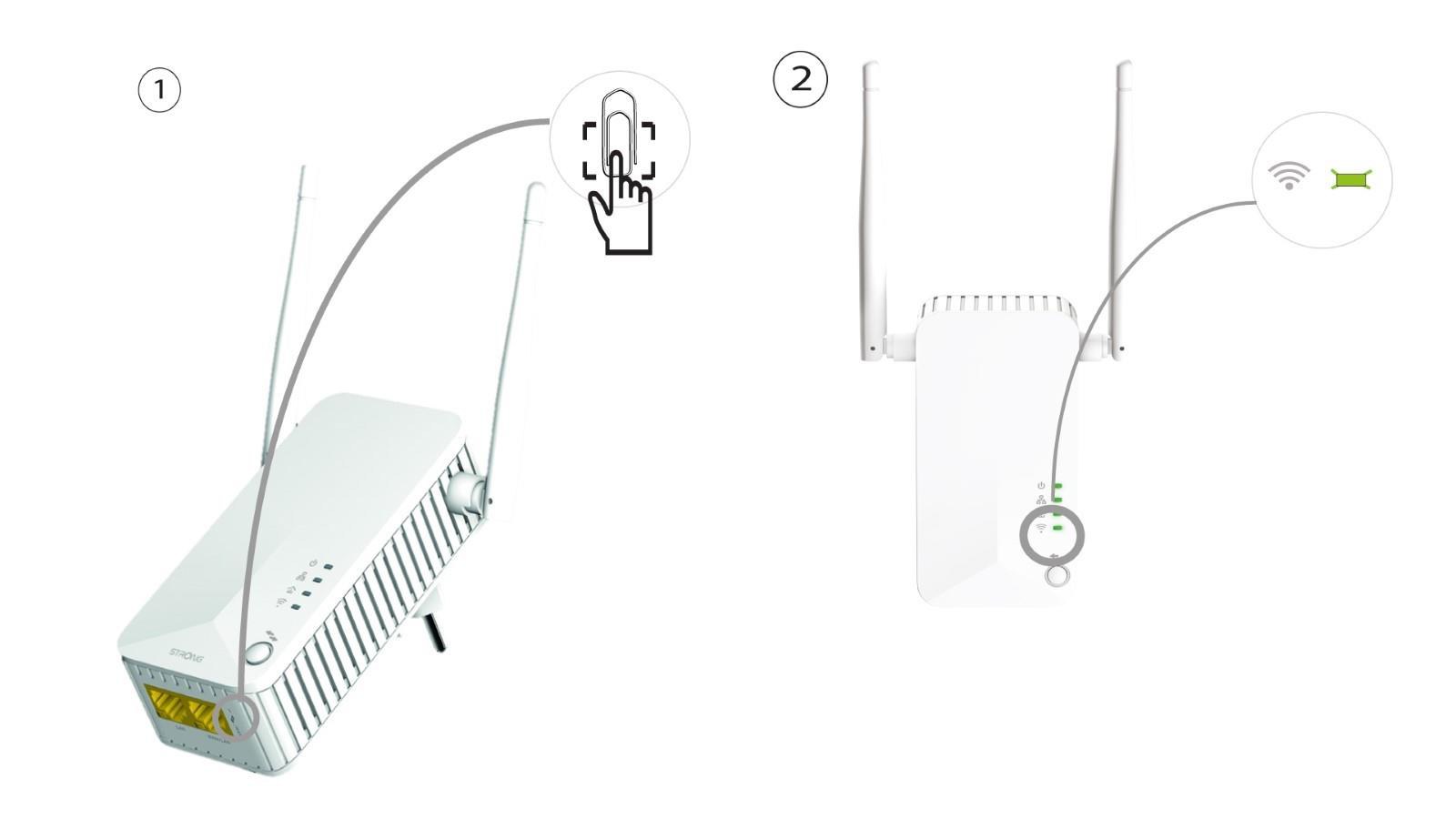
The home icon LED is lit on the Wi-Fi adapter, but I cannot connect to the Wi-Fi network of the Powerline 600.
1Connect to the Wi-Fi
To connect to the Wi-Fi Powerline for the first time, you must connect to the SSID indicated on the back of the product and use the Wi-Fi password also indicated.
Please note that the lower-case L can be confused with the upper case i, so please try the different possibilities

2Reset the Wi-Fi adapter
If you still cannot connect to the Powerline 600 Wi-Fi, please reset the Powerline Wi-Fi by pressing a paper clip in the hole located next to the Ethernet ports until the LEDs are flashing.