
PLW1000MDUO
All questions
Credentials and Web UI access
I cannot connect to the user interface via the URL: http://strong.setup or the IP address: 192.168.1.254
Your Powerline 1000 Wi-Fi Mini has probably obtained another IP address from your Internet box (router). Connect to the management interface of your Internet box and check the IP address assigned to your powerline (there should be a device management menu listing the IP addresses assigned to all devices connected to your box). Then enter this IP address in the address bar of your Internet browser.
How do I change the SSID name and password of the Powerline 1000 Mini Wi-Fi network?
1Connect to the Wi-Fi
Connect to the Wi-Fi of the Powerline 1000 Wi-Fi Mini.
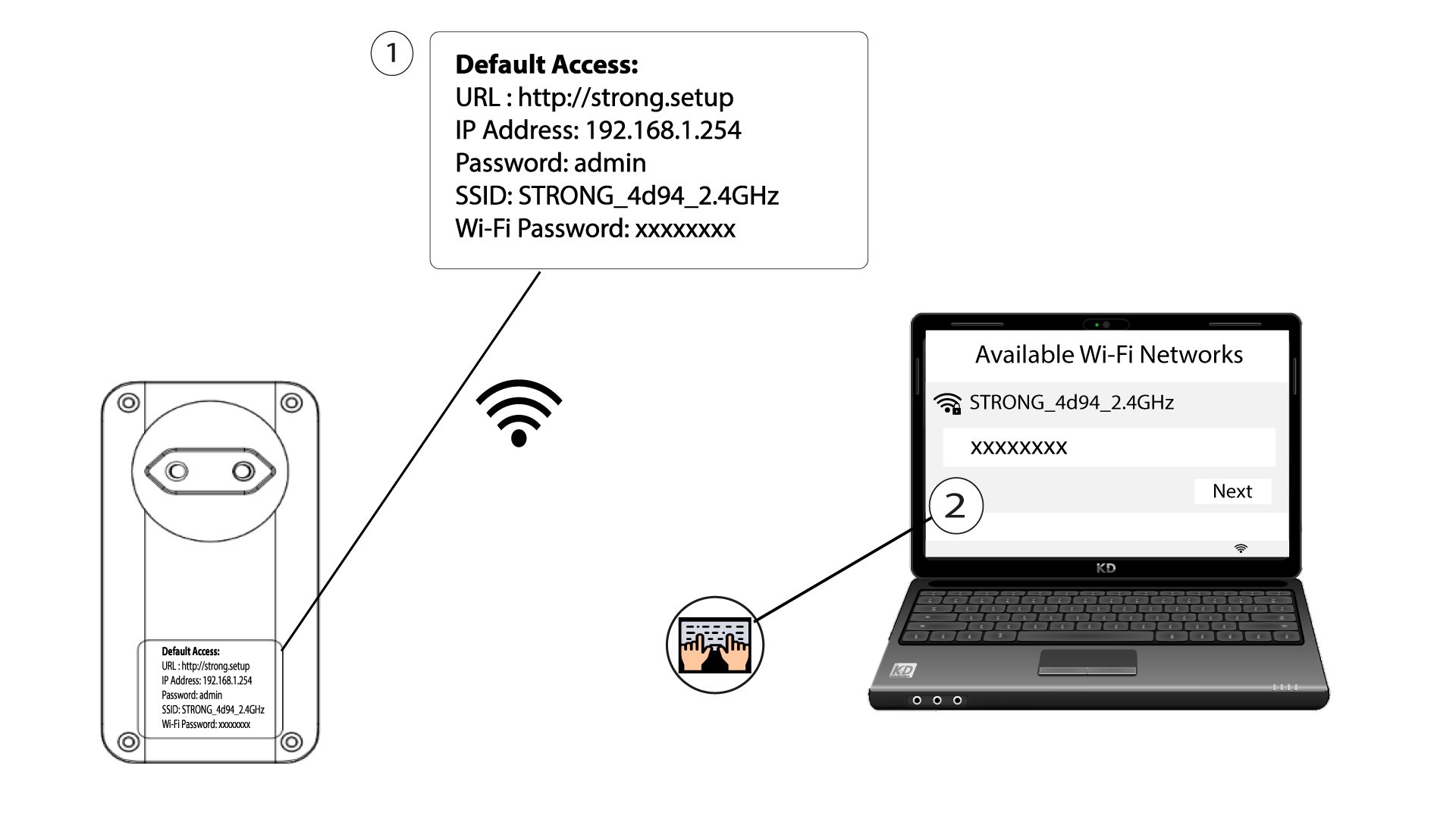
2Browse to the web interface
Access the user interface by entering the URL http://strong.setup in the address bar of your Internet browser.
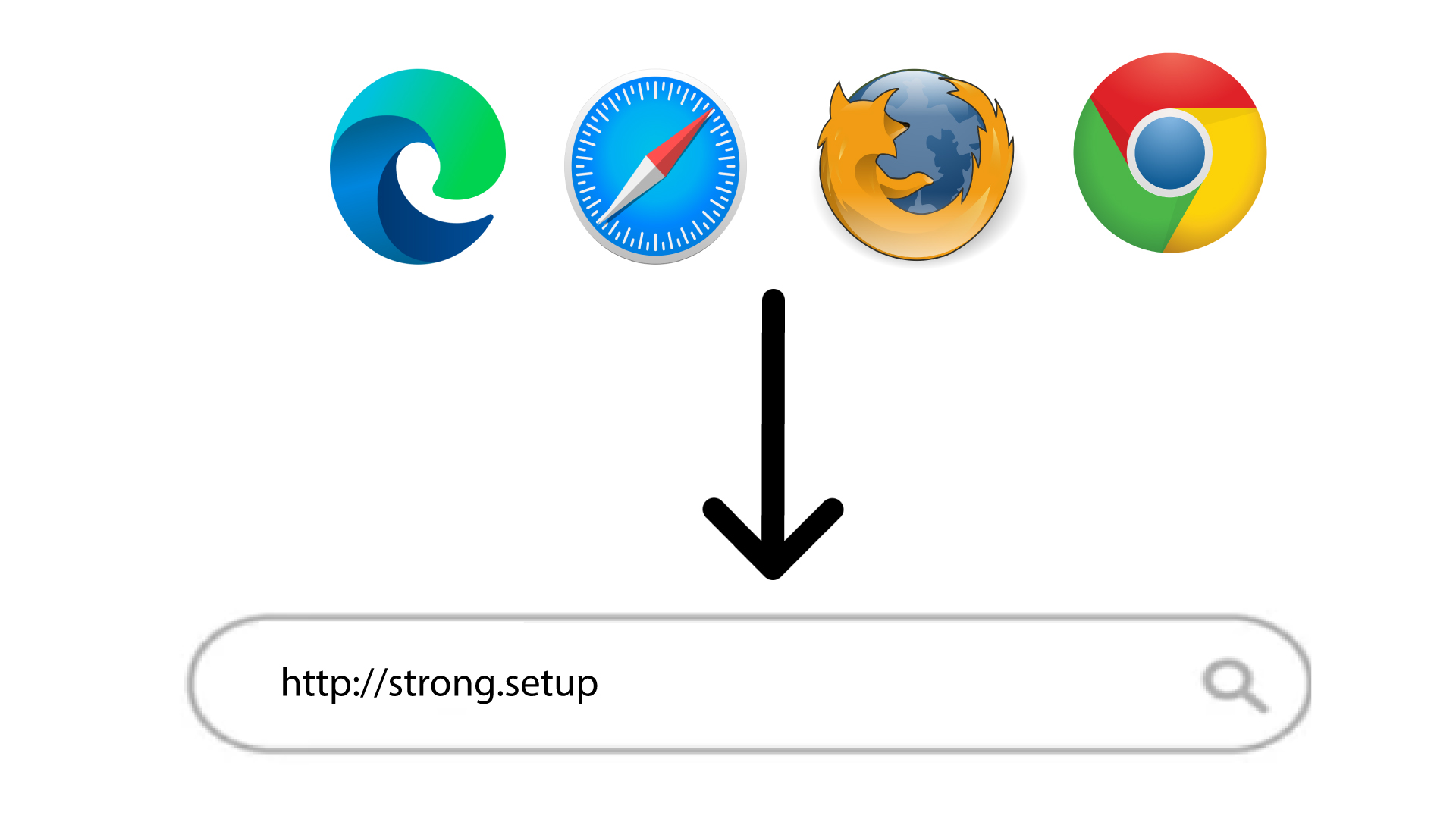
3Enter your credentials
Then, type the password: admin

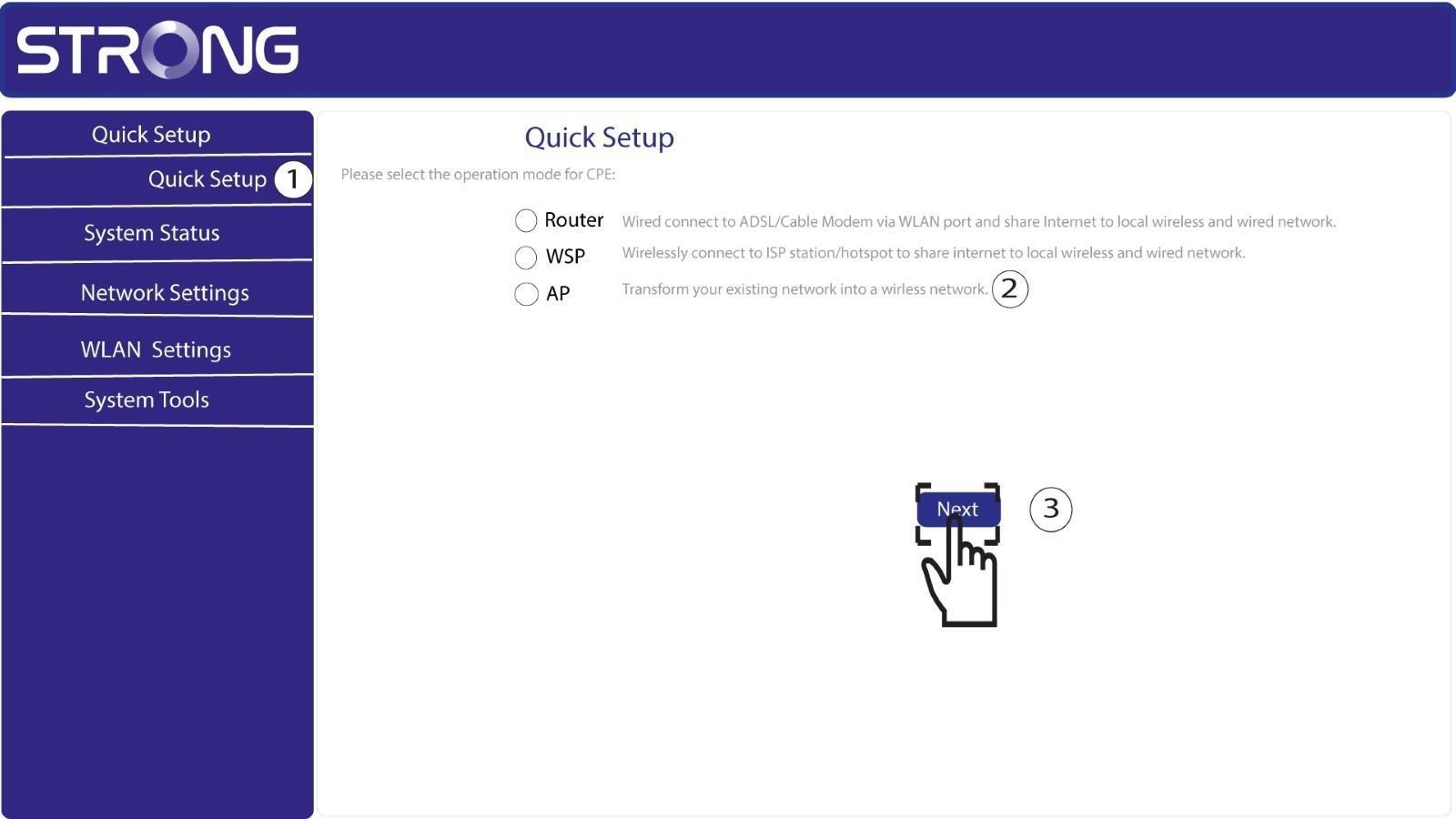
4Quick Setup
Go to the menu, select Quick Setup, then click Access Point (AP) and click NEXT.
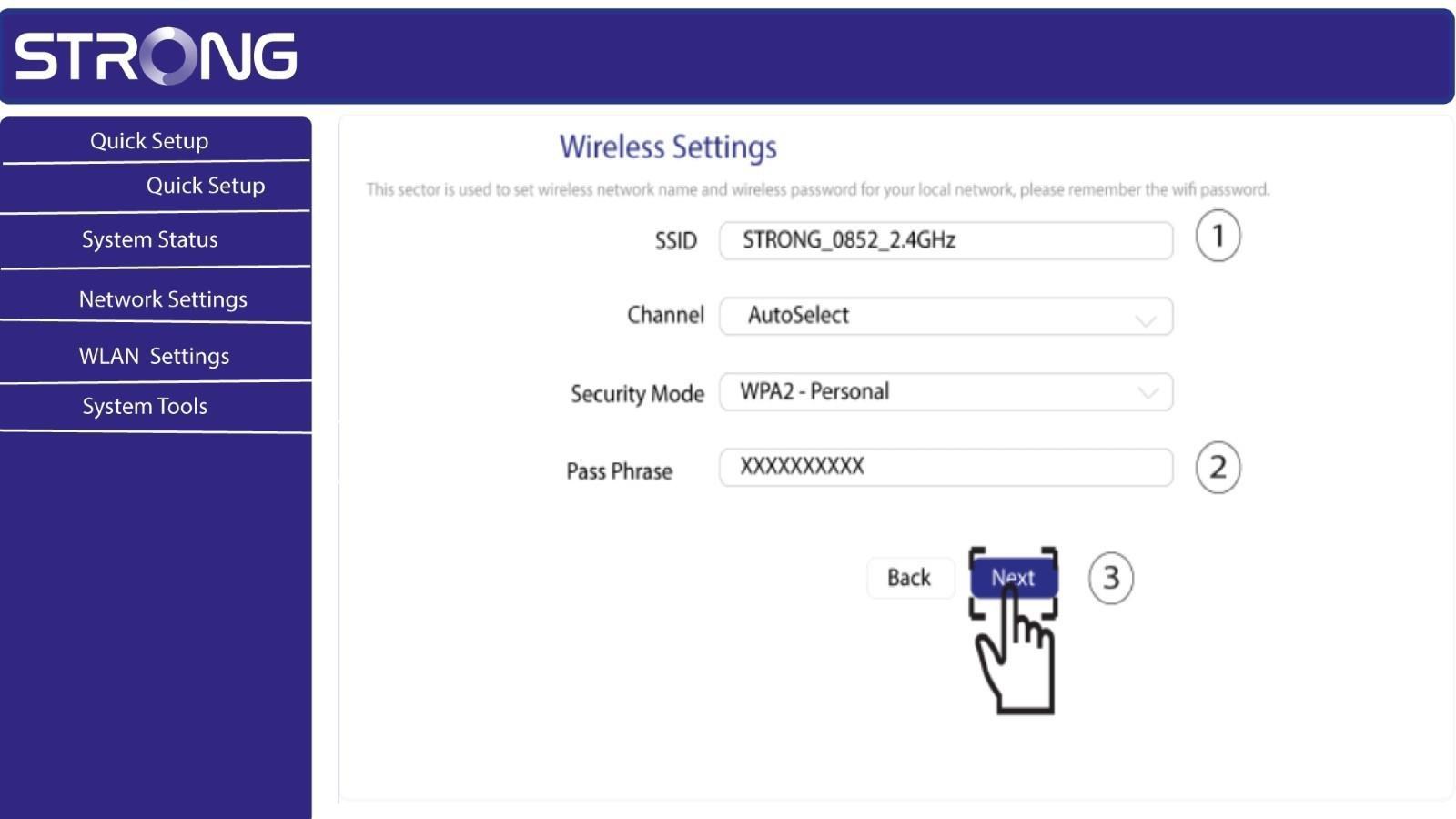
5Enter the new network name and password
Edit the SSID and the Pass Phrase. When defining the new pass phrase, please avoid using the uppercase I and the lowercase l as they can easily be mixed up. We also advise you to create a pass phrase made of alternating uppercase letters, lowercase letters and numbers. When your edits are finished, click NEXT to save.
6Write down the new network information
Please write down the new SSID and Pass Phrase on paper, then reconnect all your devices to the Powerline 1000 Wi-Fi Mini using the new settings.
