
POWERL1300DUOFR
All questions
POWERL1300DUOFR
I do not have access to the Internet and/or the LED of the "home" icon does not light up.
You must reset the adapters to their factory settings. To reset the adapters please follow the steps below.
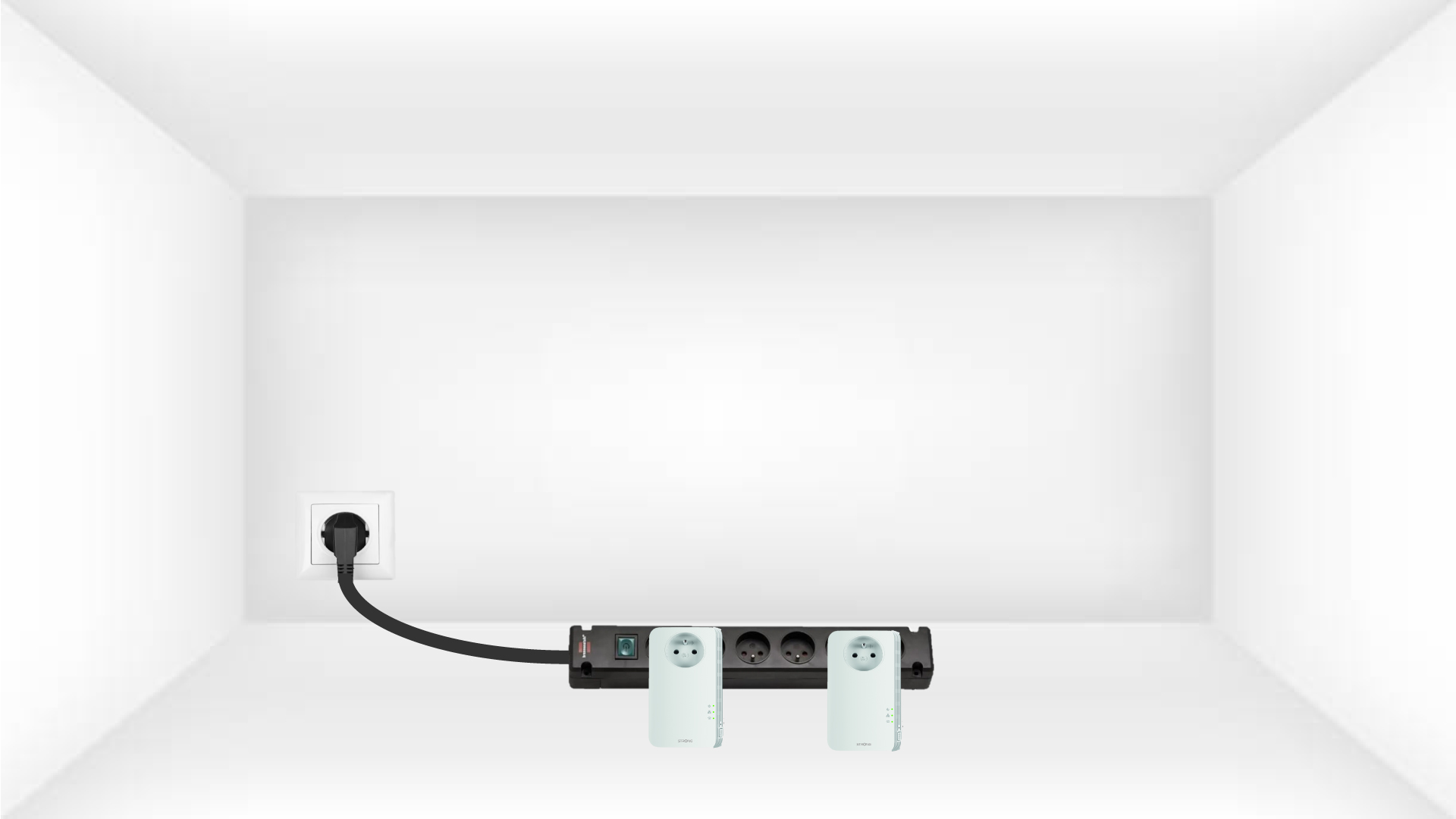
1Put the adapters on a power strip
Connect the adapters one after the other to a power strip.
2Connect the adapters to the Internet
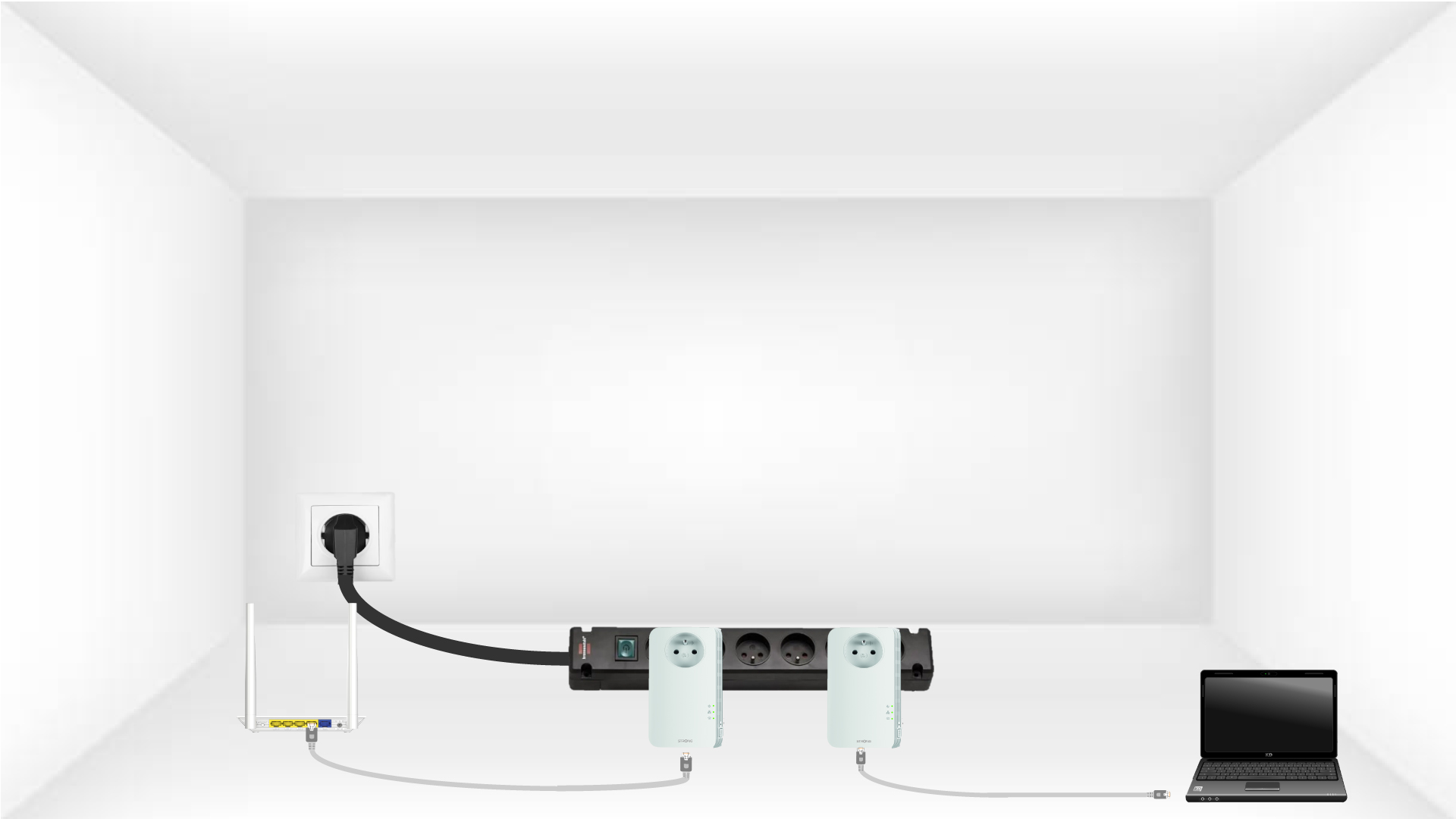
Connect each adapter to a working device (internet router/gateway, Android box, Smart TV, computer, etc.) with an Ethernet cable. There must be a communication between the devices otherwise the adapter will automatically go into standby mode.
3Press the Pair Button (first adapter)
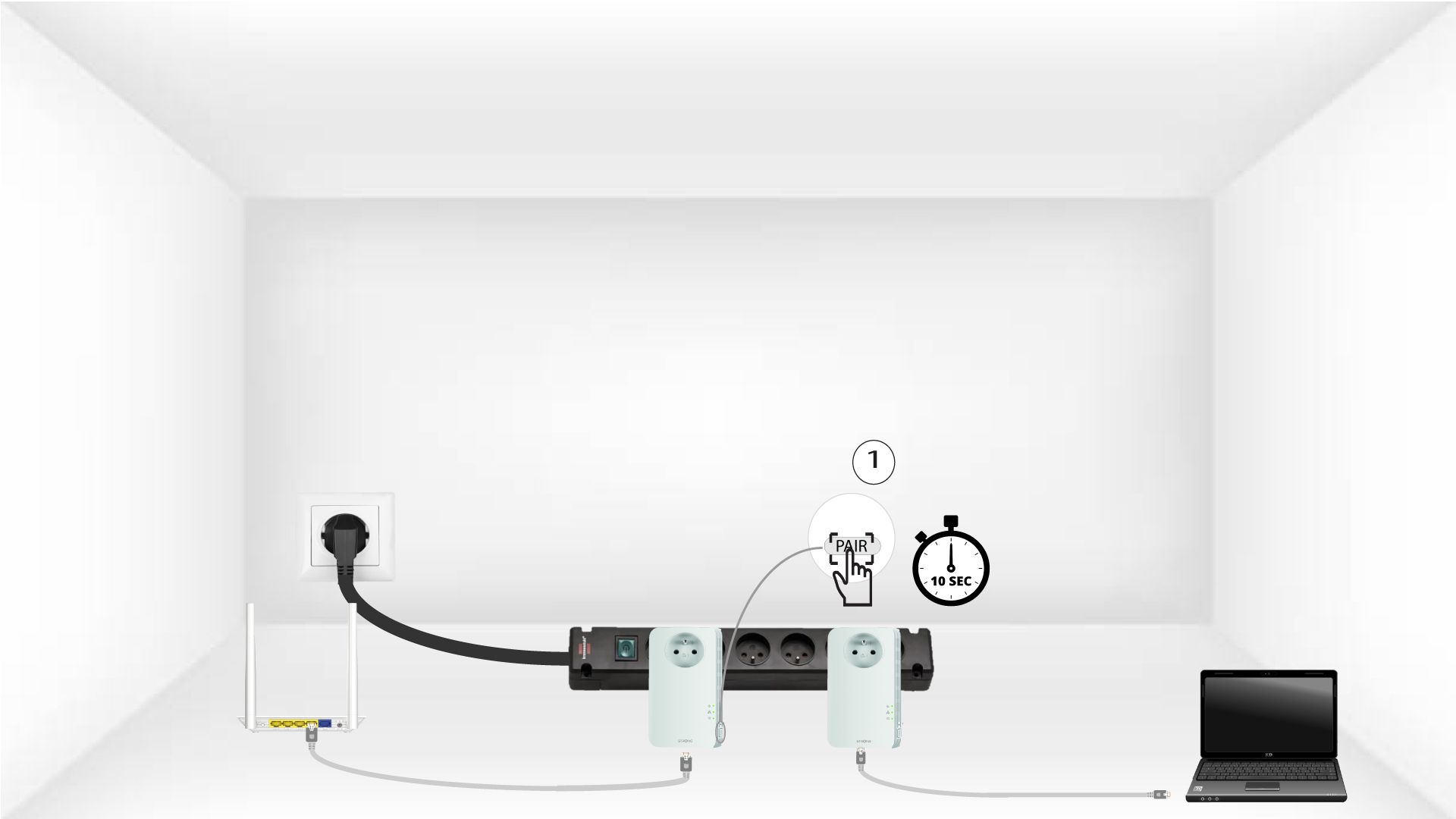
Once the adapter is plugged in and connected to the Ethernet, simply press the “PAIR” button on the front panel for 10 seconds.
4Press the Pair Button (second adapter)
Press the “PAIR” button on the front panel of the second device for 10 seconds.
5Home LED blinks
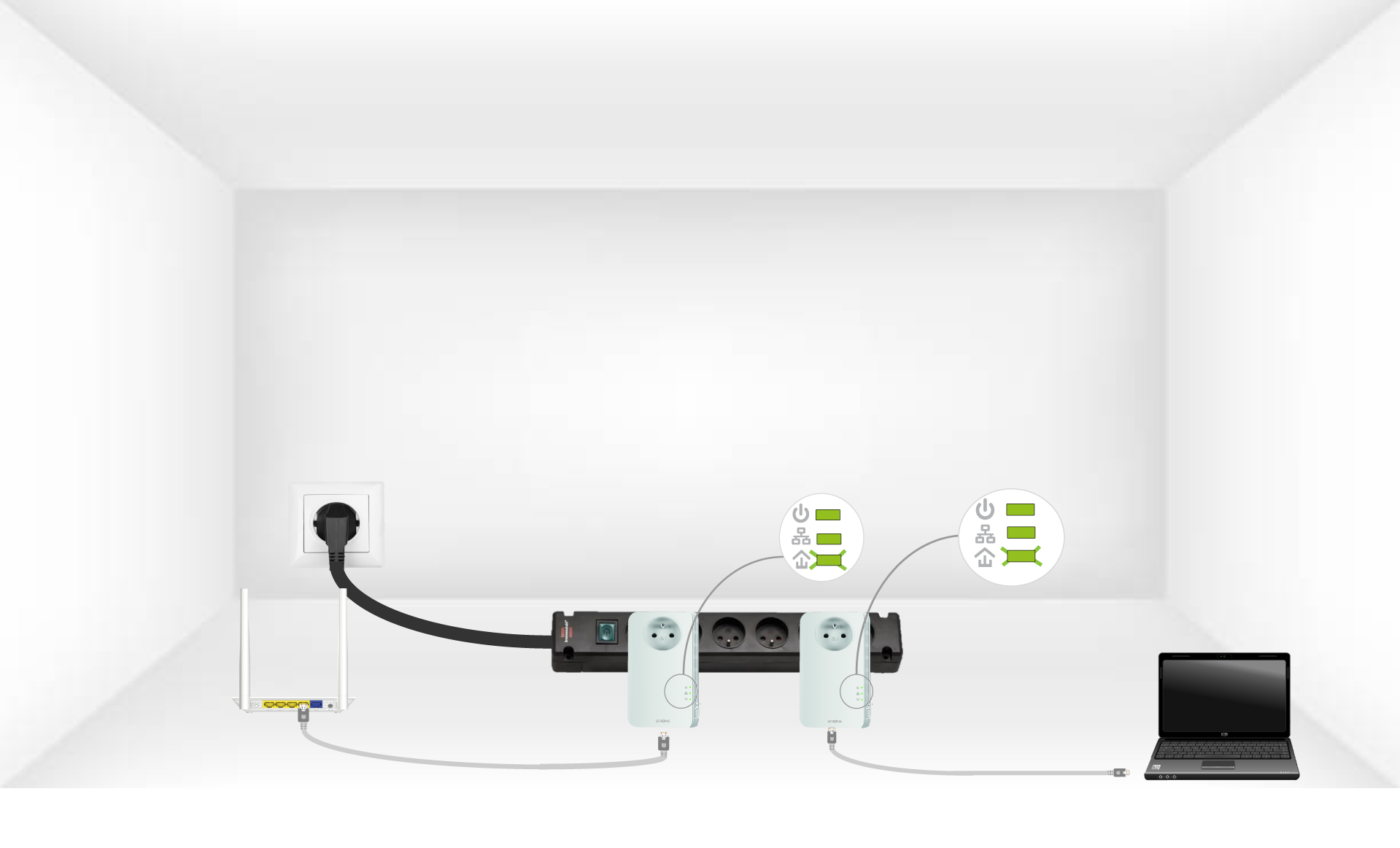
The home icon LED should start blinking .
6Adapters are reset
All the LEDs must be green at the end of the operations.
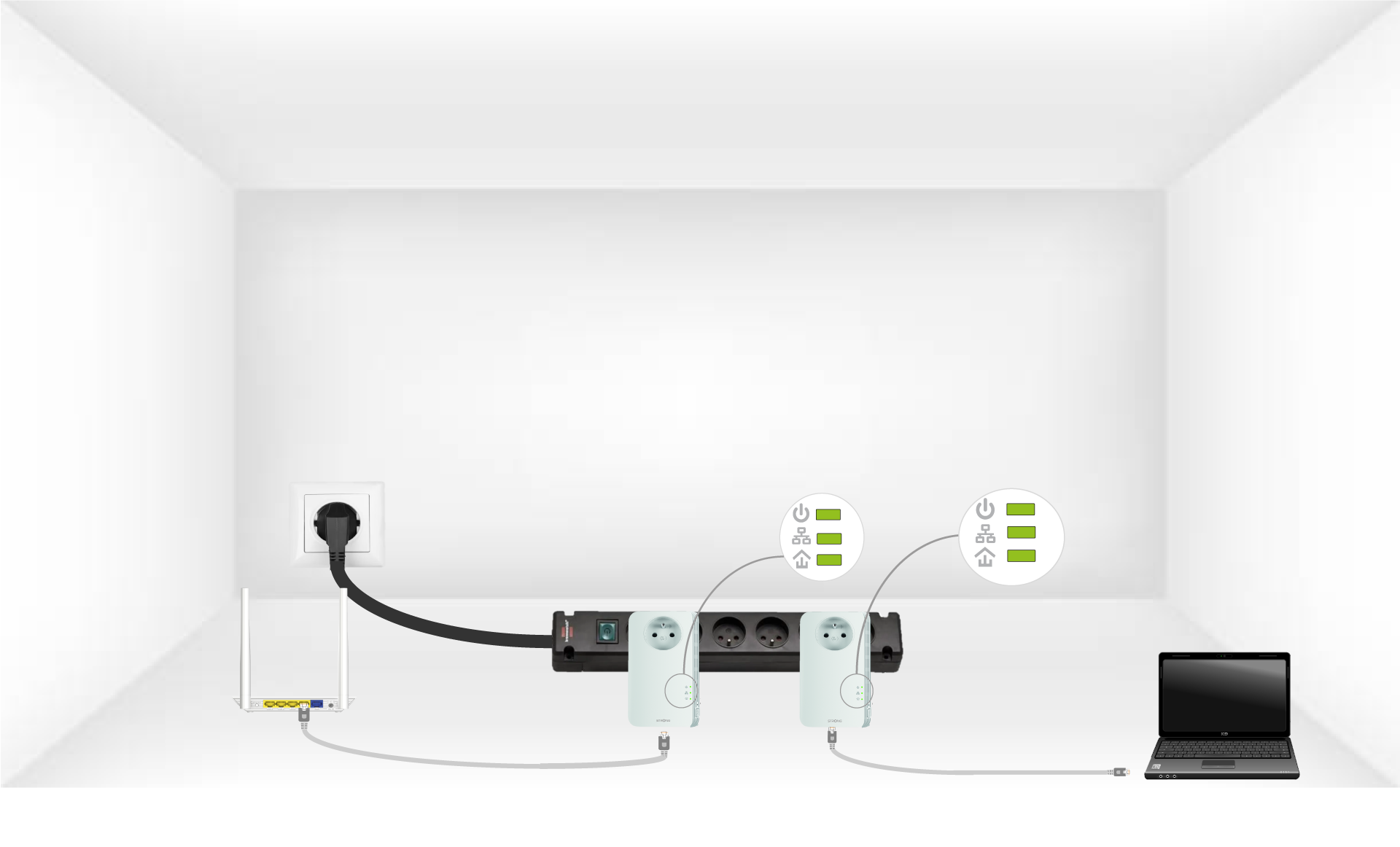
Repeat the same operation for a third powerline. You can have up to eight Powerline 1300 on the same electrical installation.
After pairing all the devices, you can put them in the room where you need them.