ATRIA Wi-Fi 6 Mesh System 3000 (2-pack)
All questions
ATRIA Wi-Fi 6 Mesh System 3000 (2-pack)
How do I update the firmware of the Mesh unit?
You may need to update the firmware of your device to solve some issues or to have the latest version of the software.
To update the firmware of the device, you must browse to this page. You will find the firmware file—click on its name to download it.
1Connect to the Wi-Fi of the device
To proceed, connect to the Web UI. Please follow this procedure: Connecting to the Wi-Fi and Accessing the Web UI
2Identify Mesh Node IP Addresses
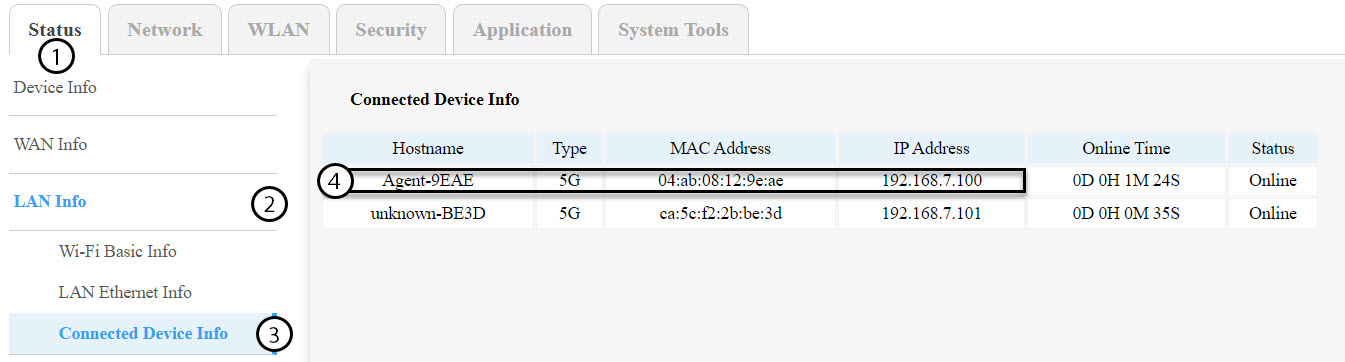
You must identify the IP addresses of the other mesh nodes by navigating to Status > LAN Info > Connected Device Info.
TIPS: The name of the second mesh units will be Agent-XXXX.
3Record Each Device’s IP Address
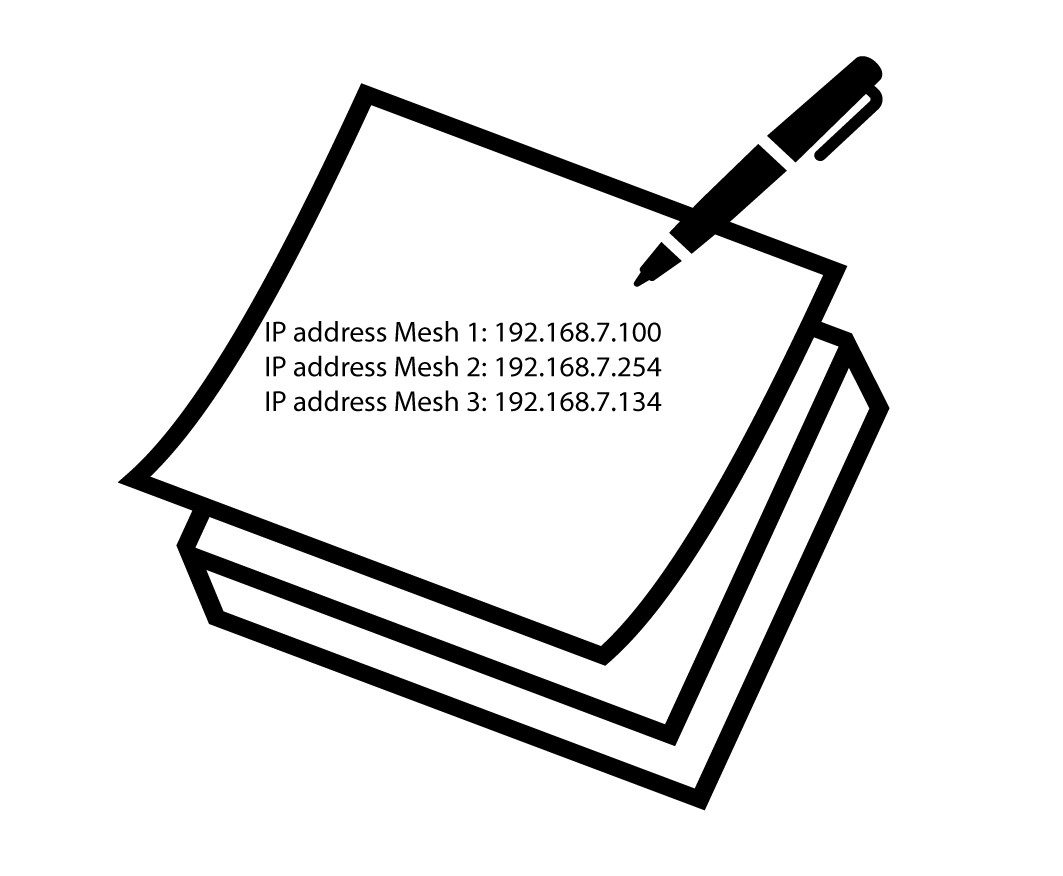
Write down the IP addresses of both agent and master nodes for later use.
Warning: Always update the agent nodes first, and the master node last. You will need to repeat this procedure for each mesh unit.
4Connect to the Web UI of Each Mesh Node
Connect to the Web UI of each mesh node using the IP address you previously noted. You can follow this procedure:
How do I access the Web UI?
5Access Firmware Update Menu
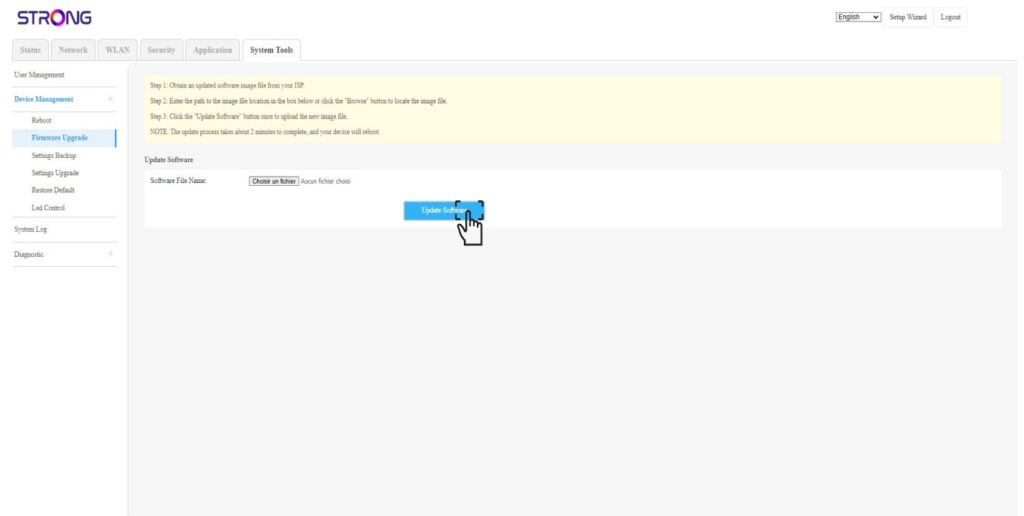
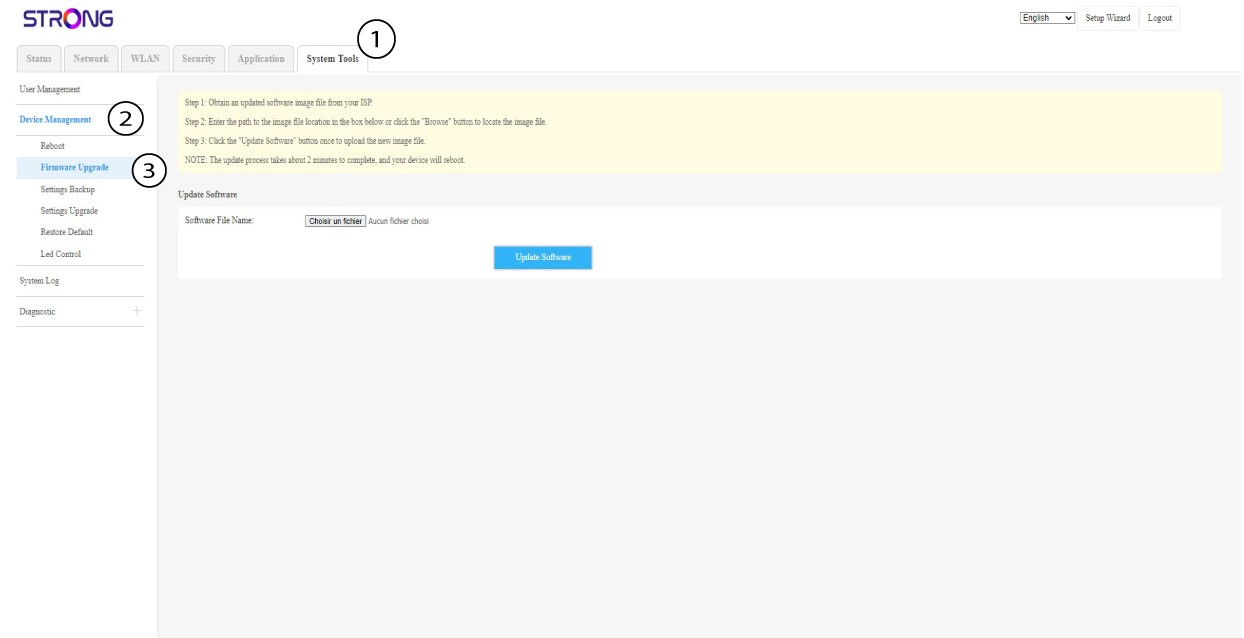
For each device, click System Tools, select Device Management, and Firmware Update.
6Upload and Install Firmware
Select the file by clicking Choose File, then click Update Software.