4G LTE Router 300 Mini UK
All questions
Reset, reboot and firmware update
How do I reset my router to its factory settings? (Reset Button)
Sometimes, it is possible that your device is not working properly and that you don’t have internet access. In this case, we suggest resetting your device to its factory settings and updating its firmware again afterwards if necessary.
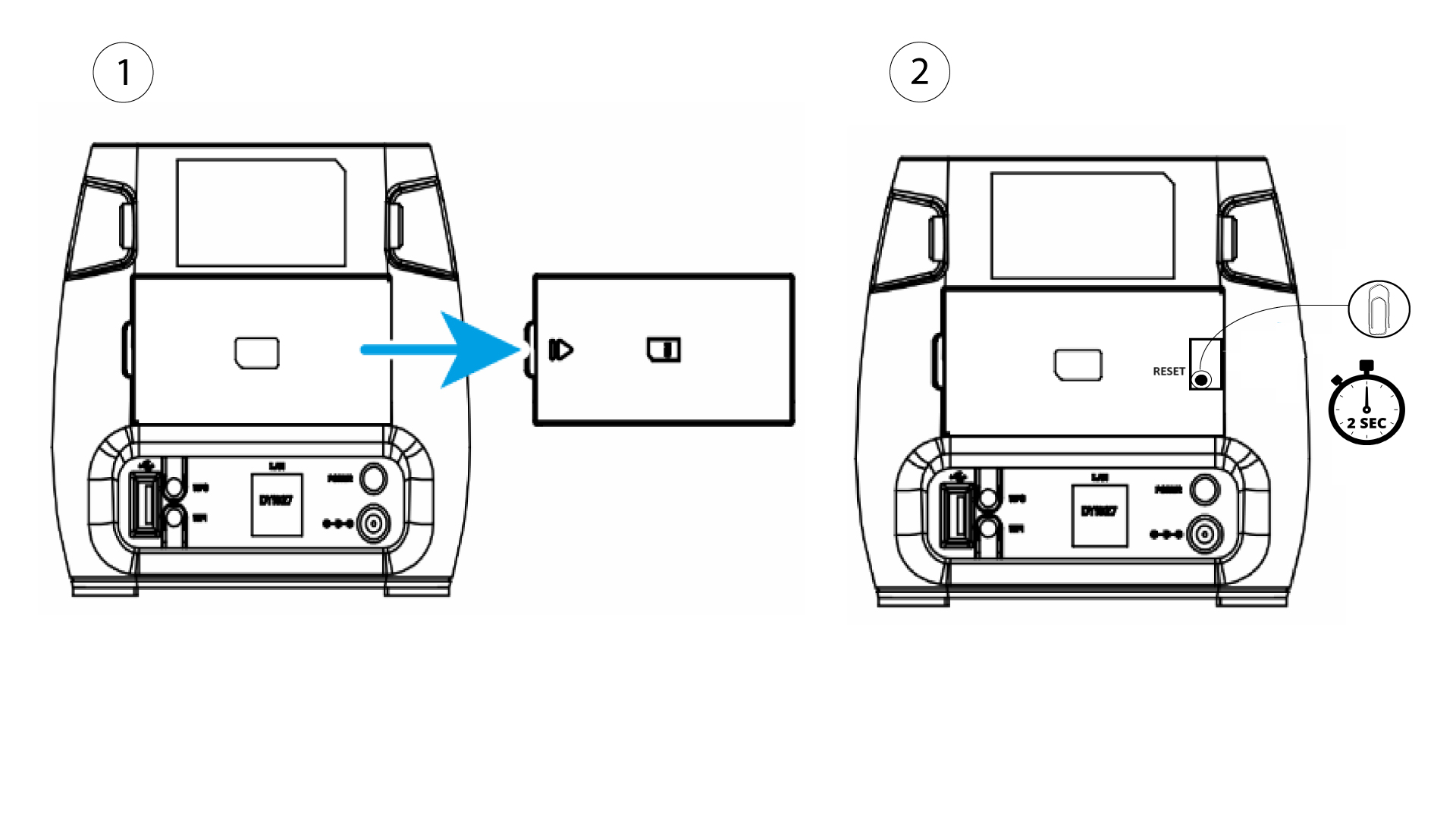
You have two ways to do it, you can reset the device by pressing the reset button or doing it in the Web UI.
To do so, remove the cover on the rear side of the router and press the RESET Button for 2 seconds with a paper-clip.
How do I reset my router to its factory settings? (Web UI)
Sometimes, it is possible that your device is not working properly and that you don’t have internet access. In this case, we suggest resetting your device to its factory settings and updating its firmware again afterwards if necessary.
You have two ways to do it, you can reset the device by pressing the reset button or doing it in the Web UI.
1Connect to the Wi-Fi of your router
You must connect to the Wi-Fi of your device.

2Browse to the Web UI IP Address
Then, enter the following IP address: 192.168.0.1 in your browser

3Login Page
Then, click Login.

4Enter your credentials
You must enter the username and password before clicking Login.

5System Setting
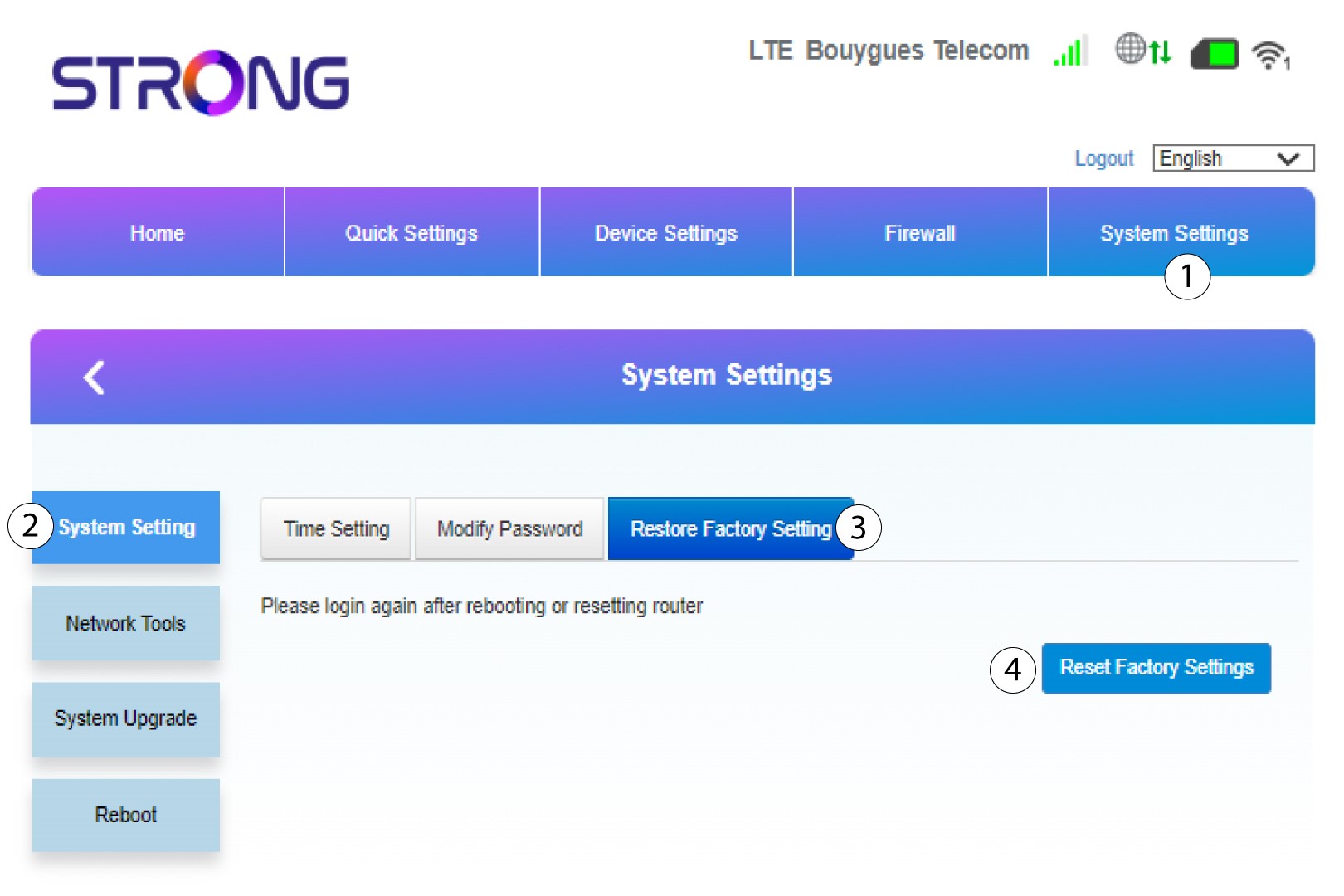
Then, click System Settings and select System Setting. Then, click Restore Factory Setting and select Reset Factory Settings.
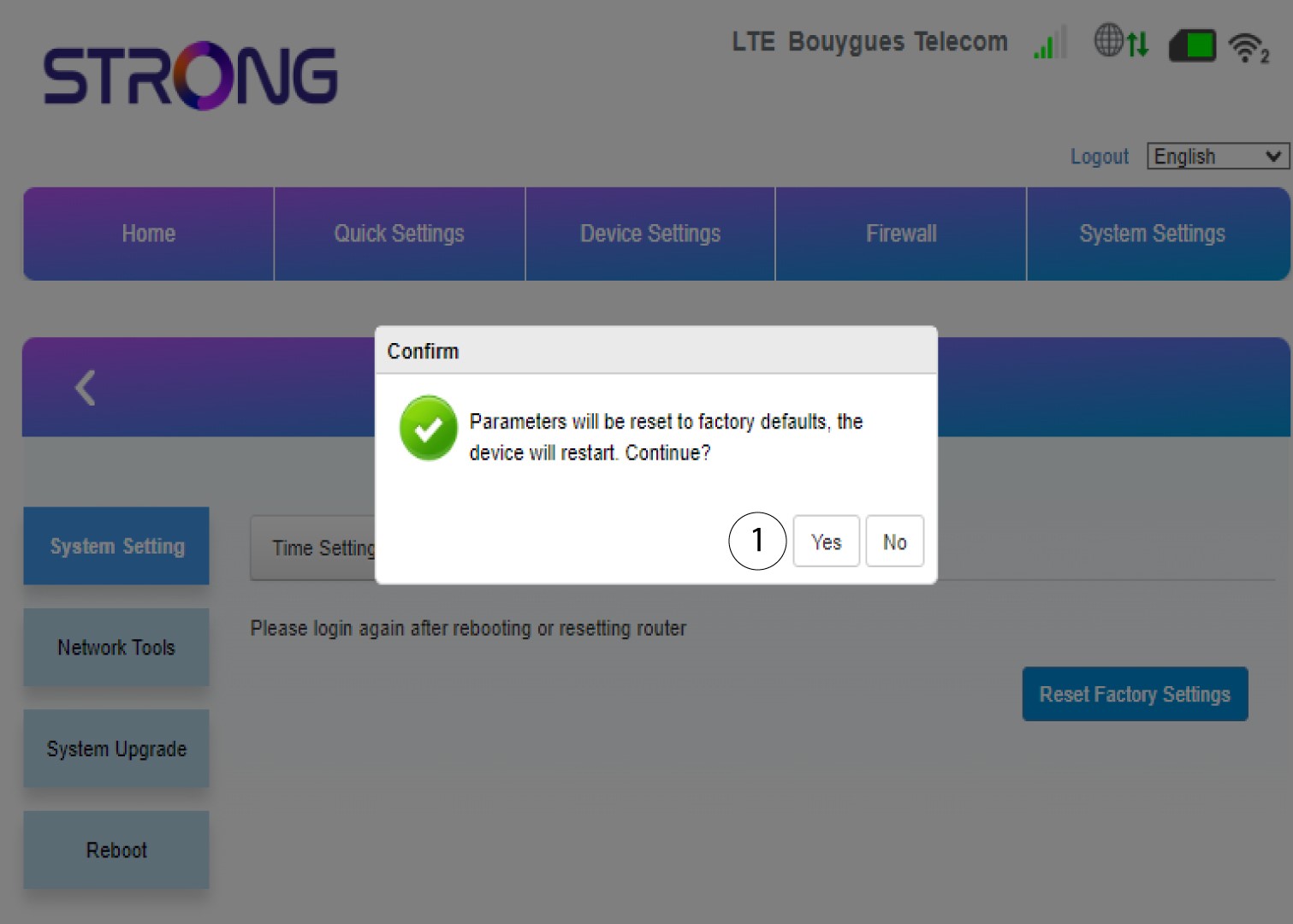
6Confirm the reset
Click Yes on the pop-up message that appears.
How do I update the Firmware of the device?
When you are connected to the Web UI, you must check the firmware version used by your device by using the online upgrade option in the Web UI. By doing so, the latest firmware version will be installed.
If you have a different version, please refer to the procedure bellow to update your firmware.
1Connect to the Wi-Fi
To update the firmware of the device, you must connect to the Wi-Fi of your device.
2Browse to the Web UI IP Address
Then, enter the following IP address: 192.168.0.1 in your browser.
3Login Page
Then, click Login.
4Enter your credentials
You must enter the Username and Password. Then, click Login.
5Advance Settings
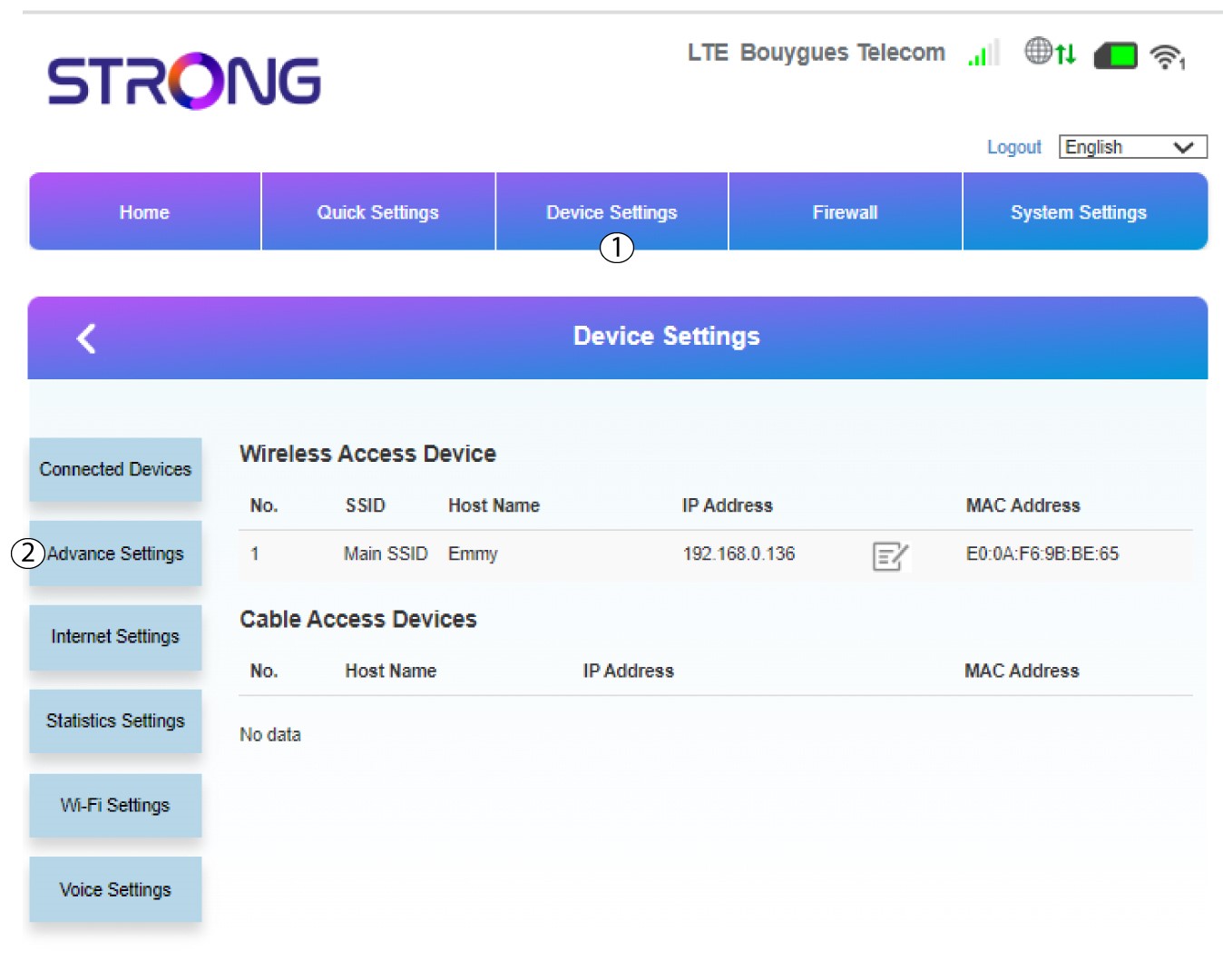
Click Device Settings and select Advance Settings.
6Online Upgrade
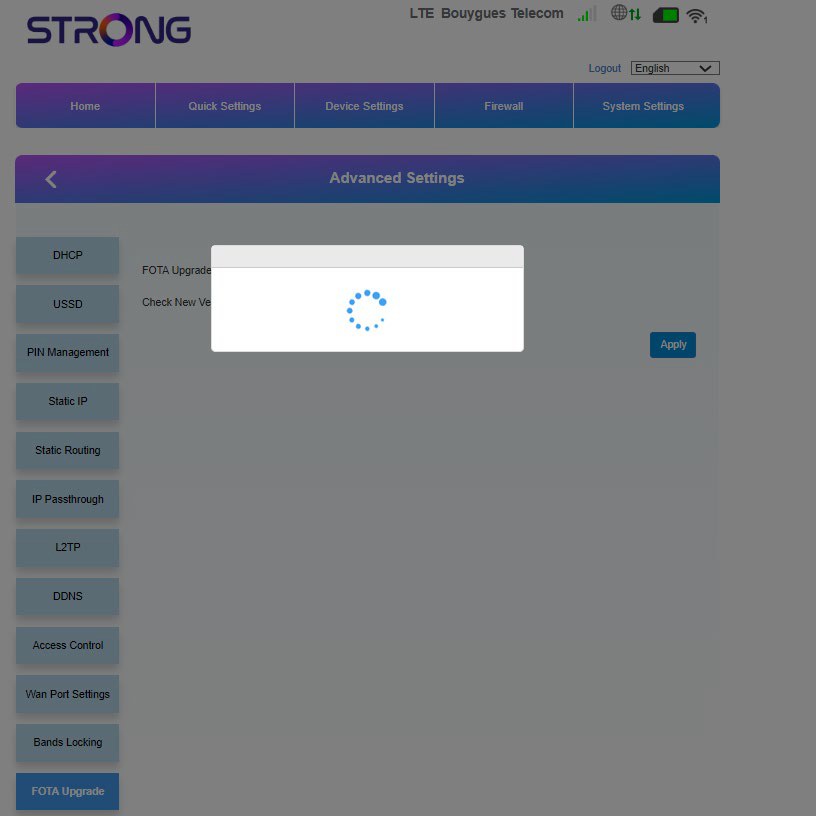
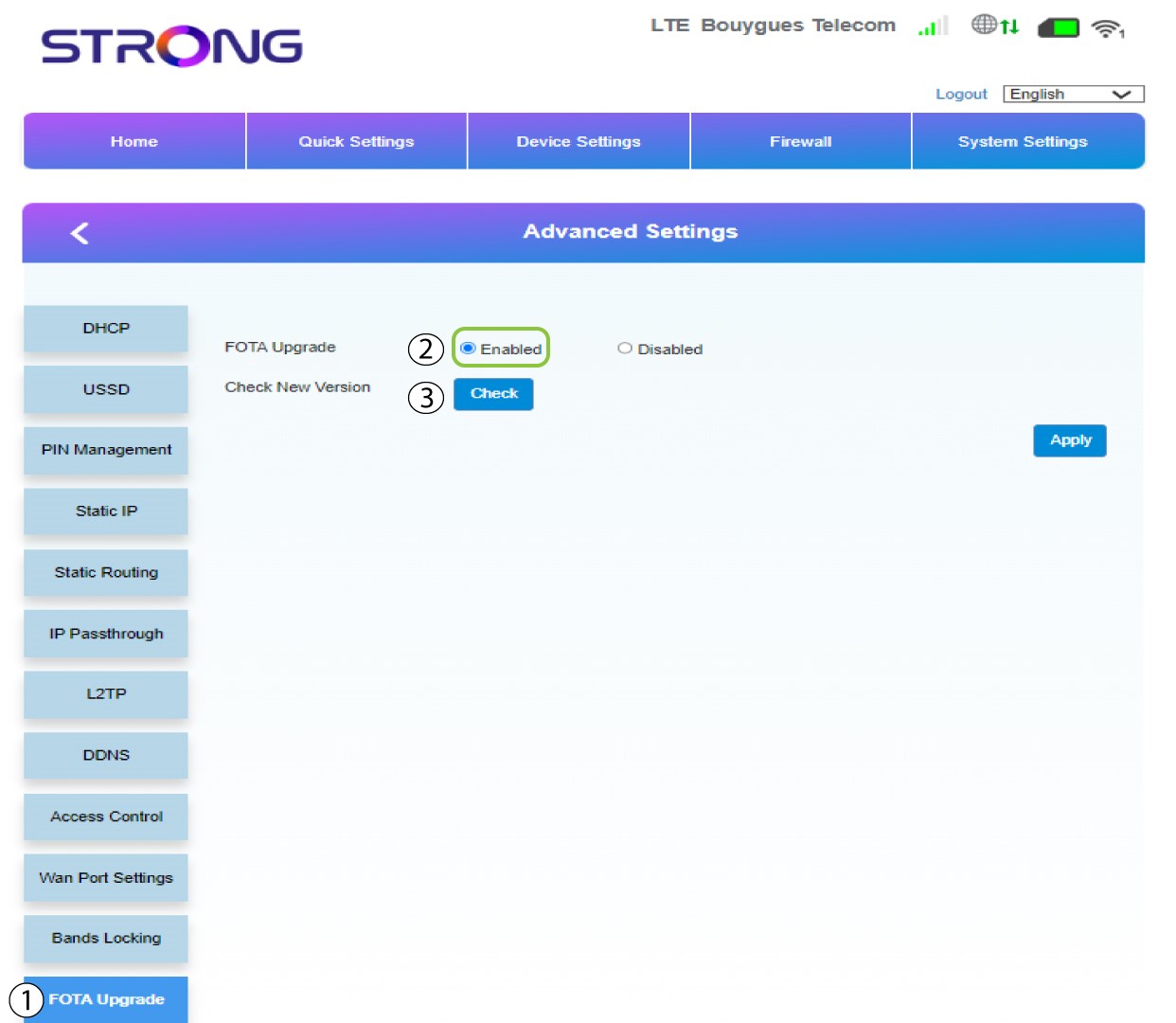
In Advanced Settings, click FOTA Upgrade and select Enabled. Then, click Check.
7Case 1: warning message (firmware is up to date)
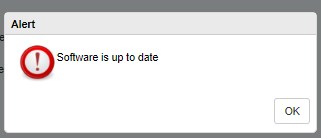
A message will appear to notify you if there is an update available. If there is one, click Yes so that the software is downloaded and installed. If the software is up to date, you will see this message:
8Case 2: New firmware version is available
In case of an update, you must wait until the update is complete. When upgrading the LEDs of the devices turn blue and the blue light goes from left to right from one icon to the other. Once the update is finished, the icons go back to their previous colour. The update can last up to 5 minutes.