4G+ AIRSPOT 520 Mobile Wi-Fi with Touchscreen
No items found.
No items found.
All questions
4G+ AIRSPOT 520 Mobile Wi-Fi with Touchscreen
No items found.
No items found.
How do I change the SSID (Wi-Fi Network Name) and Wi-Fi Password ? (Mi-Fi screen)
You can edit the Wi-Fi network information from the screen of your Mi-Fi.
1Access the Wi-Fi Settings
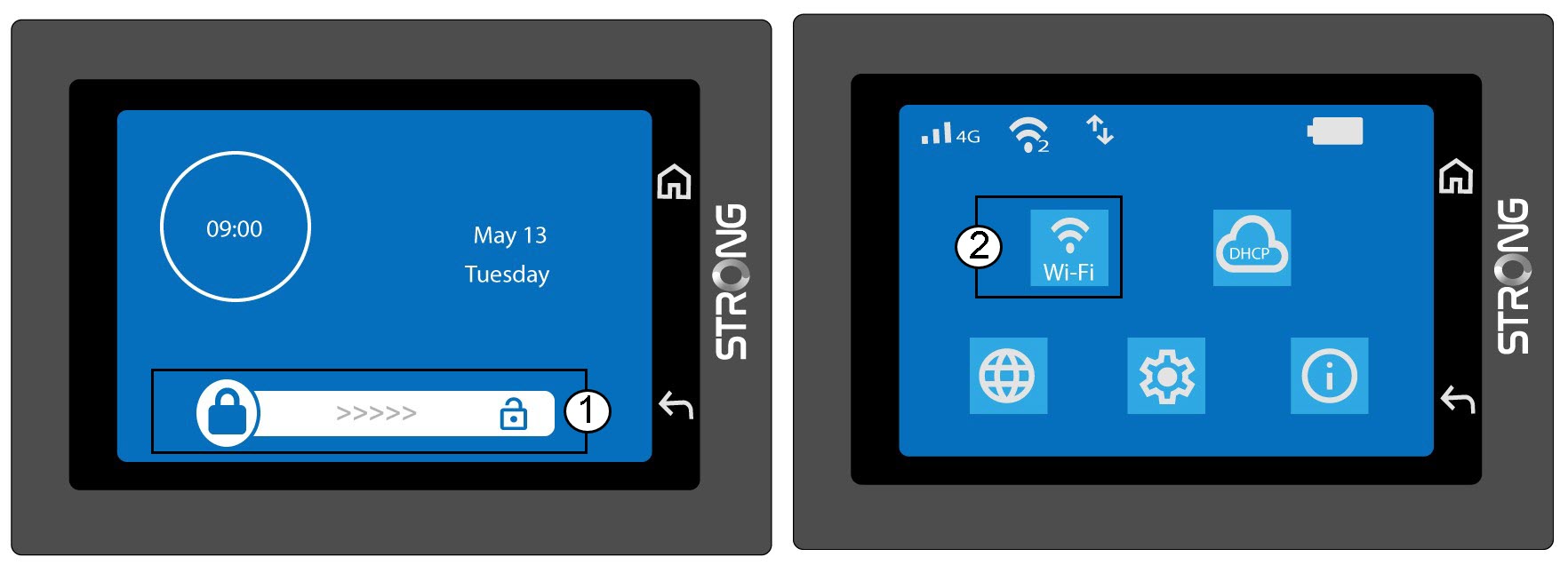
Unlock the screen and click the Wi-Fi card.
2Open Wi-Fi Configuration
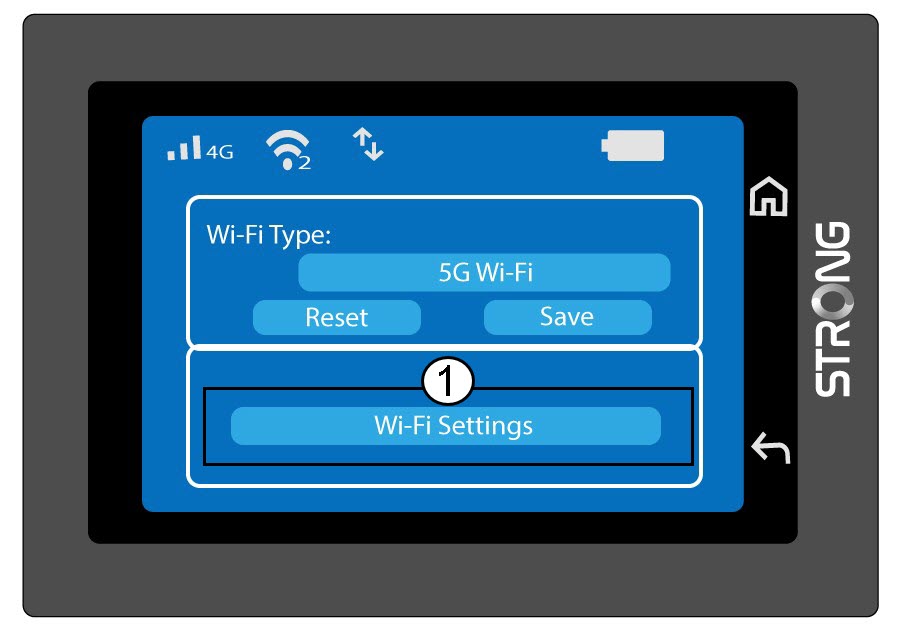
Click Wi-Fi Settings.
3Change the Network Name (SSID)
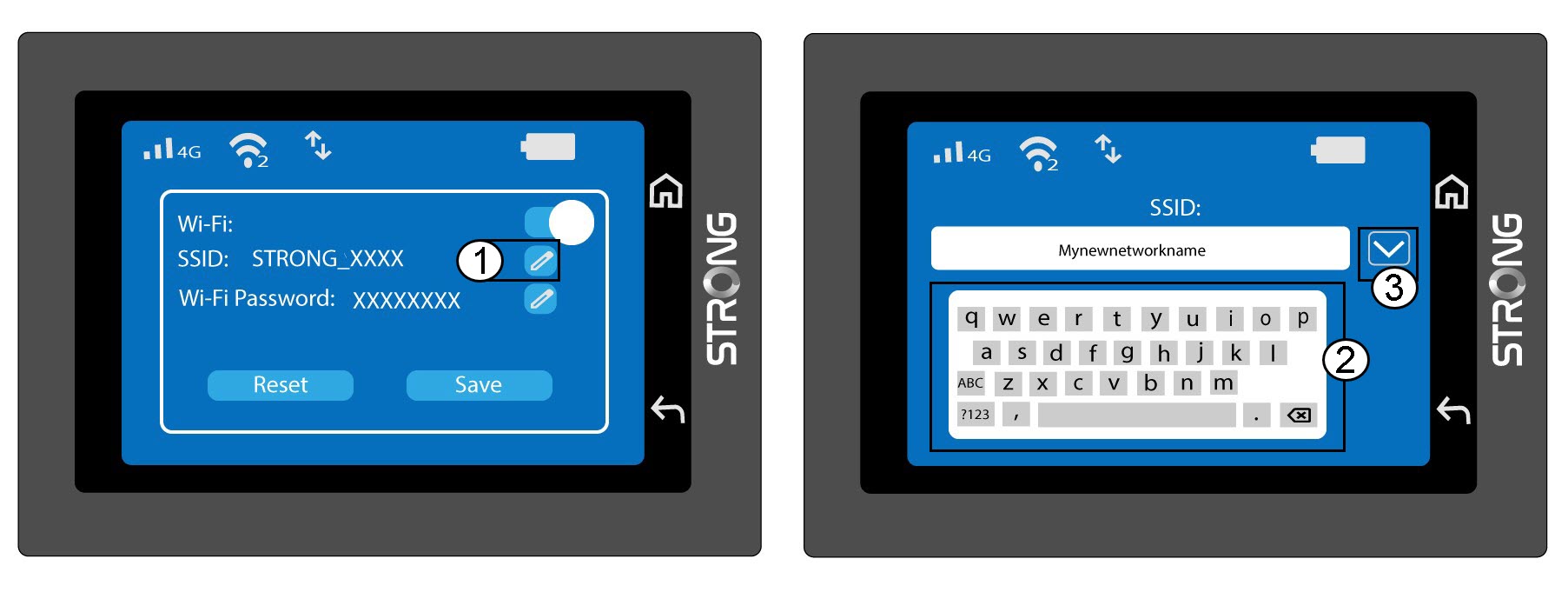
Click the pen icon next to the Wi-Fi Network Name, enter the new name, and press (V) to confirm.
4Change the Wi-Fi Password
Click the pen icon next to the Wi-Fi Password, enter the new password, and press (V) to confirm.
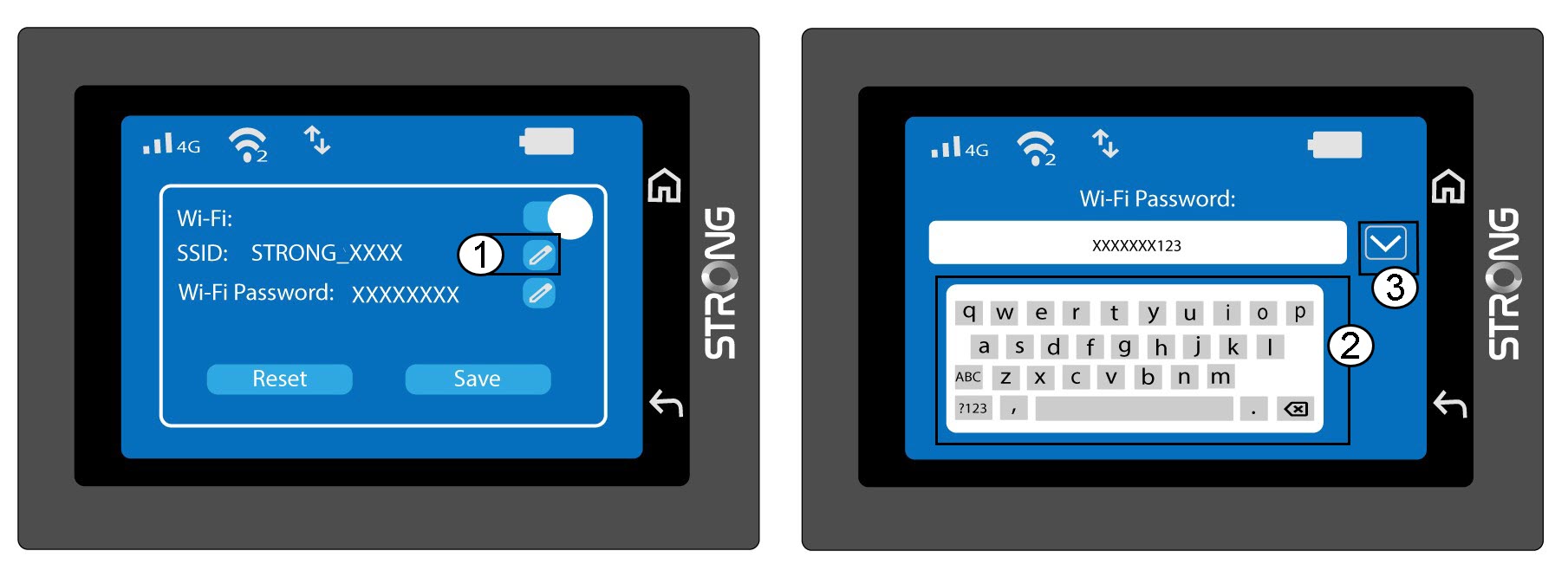
5Save Your Changes
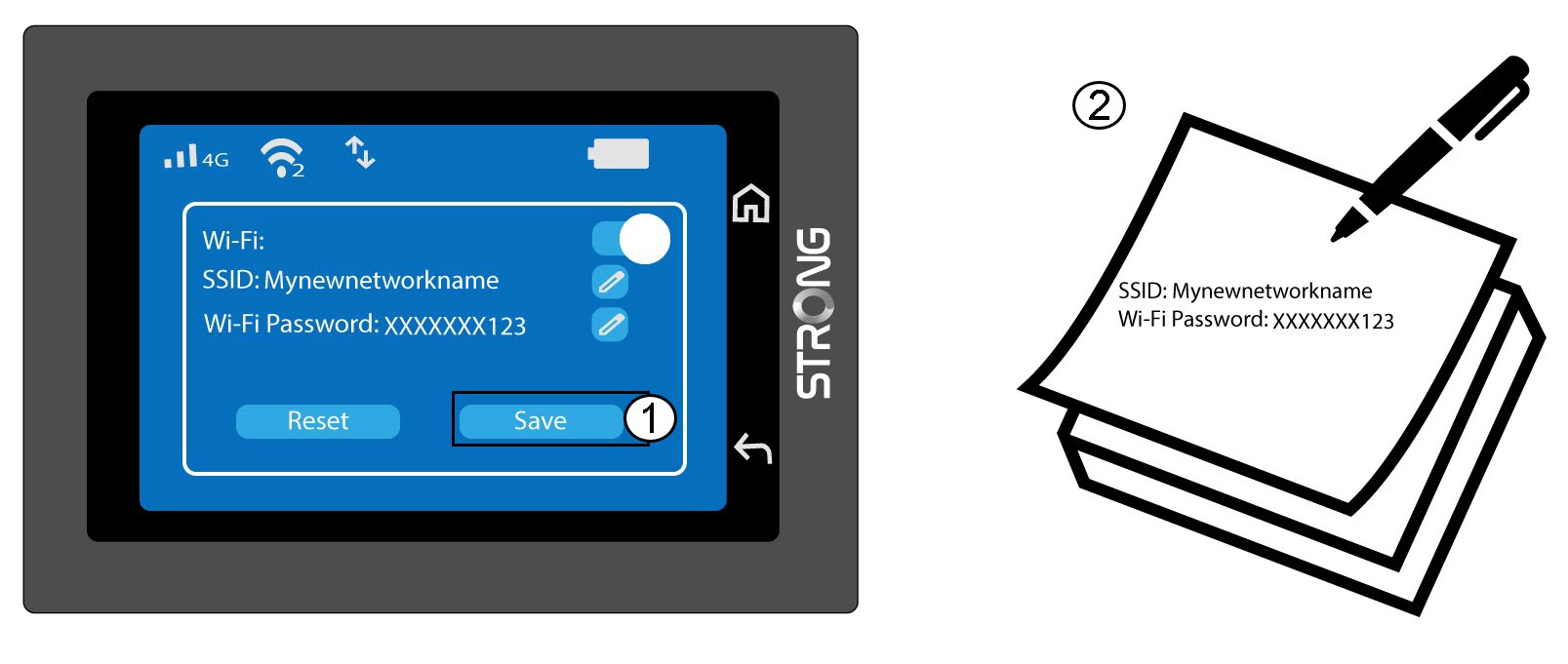
Click Save and write down the new network name and password for future reference.