ATRIA Wi-Fi 5 Mesh System 2100 UK (2-pack)
No items found.
No items found.
All questions
ATRIA Wi-Fi 5 Mesh System 2100 UK (2-pack)
No items found.
No items found.
How can I identify the IP addresses of the different Mesh units of my Network?
To identify the IP addresses of the mesh units that are part of you network.
1Atria Mesh App
Download the application for smartphone "ATRIA MESH" on the App Store or the Google Play Store.

2Connexion to the Wi-Fi
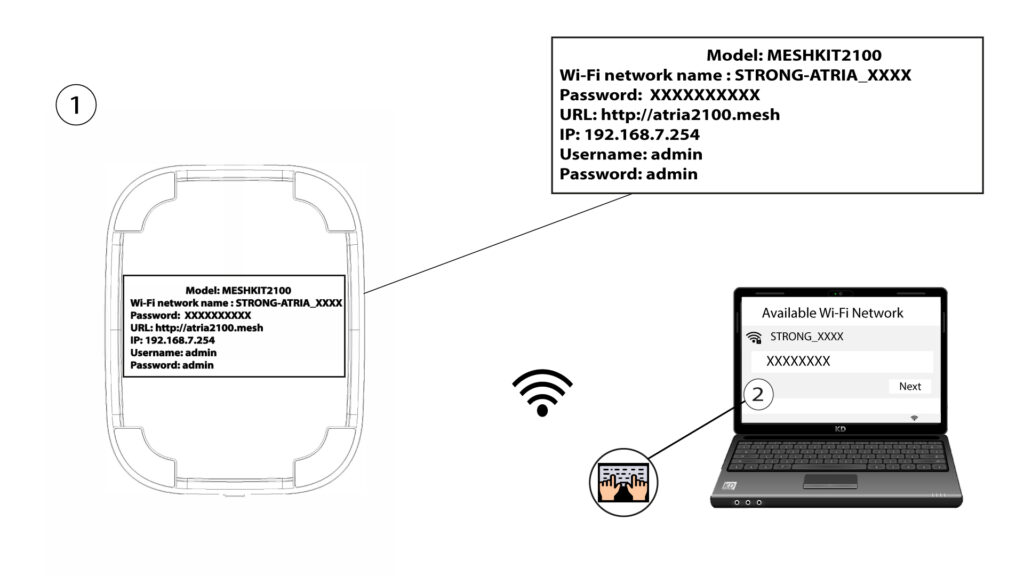
Connect to the Wi-Fi of your mesh unit.
3Credentials
Then you need to be connected to the Wi-Fi of the Mesh with your smartphone and then login to the app with your credentials that should be "admin" and "admin" if you have not changed it.

4My Network
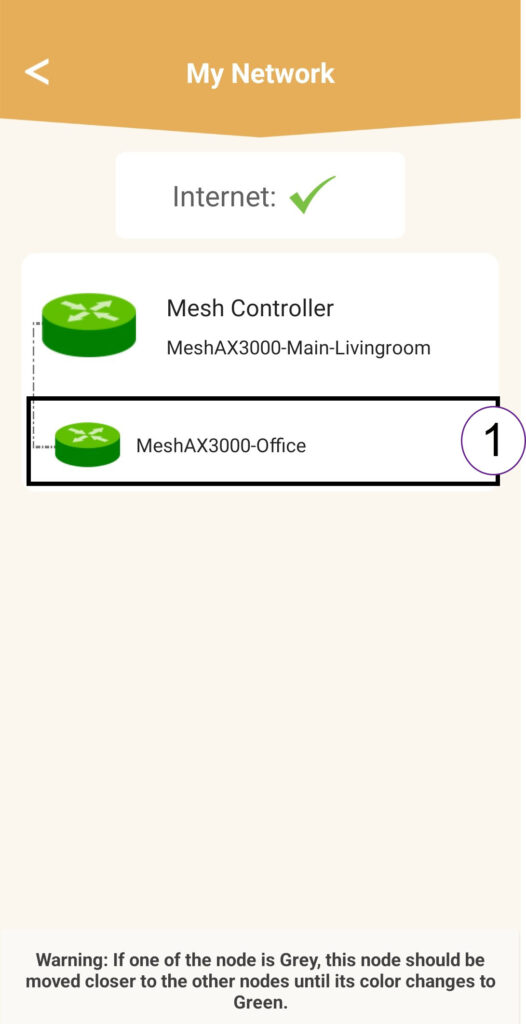
Click My Network.

5Name of the Mesh
Click the Name of the Mesh Agent in the list.
6IP Address
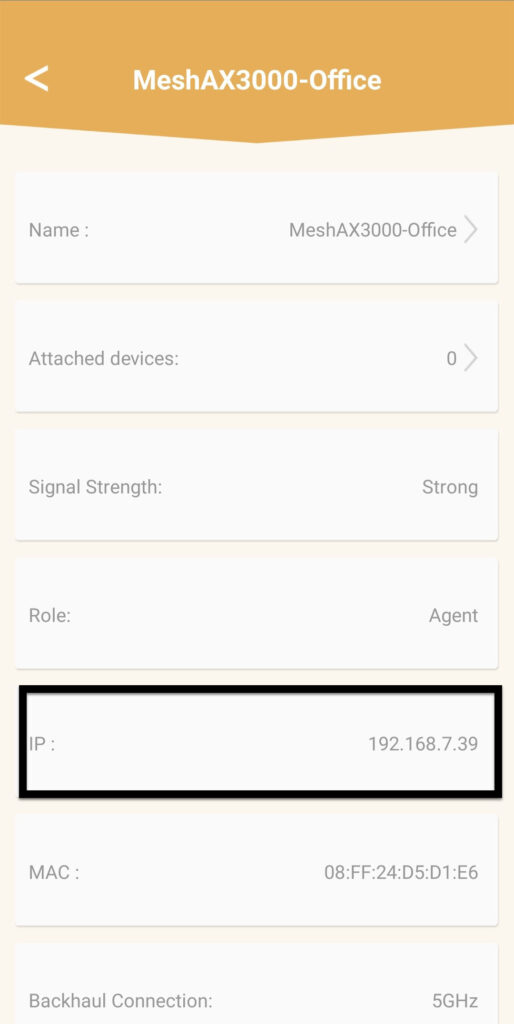
Identify its IP Address.
7Write down the new information
Write down the IP Address.