
Powerline 600 Triple Mini UK
All questions
Powerline 600 Triple Mini UK
Wi-Fi and network troubleshooting
The Internet speed is much lower at the output of the powerline network compared to the speed at the output of the Internet service provider's box. Why?
The data rate displayed on the Powerline 600 Mini (as well as all Powerline 600 on the market) is the maximum data rate used for the transmission of signals on the link. The useful speed is lower than the maximum speed because the transmission of data always requires a
significant use of the band, which reduces the available bandwidth. The quality of your electrical installation can further reduce the available bandwidth and you will usually get less than 1000 Mbps.
An overly extensive or old electrical installation can significantly increase the data rate loss. Potentially disruptive electrical devices left plugged in unnecessarily can also significantly increase throughput losses. (e.g., telephone charger, power transformer, etc.).
For information, to transmit an HD signal, 5 Mbps is sufficient, to transmit a UHD (4K) signal, 20 Mbps is sufficient.
Can I connect Powerlines of different brands to my network?
It is possible to connect powerlines with different data rates and brands as our devices use the HomePlug AV standard which makes any device compatible no matter the brand or data rates. For instance, you can connect a Powerline 600 Mini with a powerline 500 or 600 as they have similar data rates. That is why, we strongly recommend not to connect a Powerline 600 Mini with powerline 1000, 1200, 1300 or 2000 which have higher data rates than the one of the Powerline 600 Mini, In addition, a Powerline 600 Mini can be connected to powerline 600 of different brands, but we cannot guarantee that it will work properly with powerlines 600 from other brands, as there may be software differences.
Connect all your bandwidth hungry wired devices to the Internet using your existing electrical wiring!
Use the Powerline 600 Duo/Triple Mini to connect all your bandwidth hungry wired devices to the Internet, such as an IPTV decoder, a Smart TV, an Android box, an Apple TV®, a media player, a computer, a games console … and free up your Wi-Fi network. Each Powerline 600 Mini adapter is equipped with an Ethernet port. Connect all your network compatible devices to the Internet in minutes! No system requirements! No software to install! Plug & Play. The Powerline 600 Duo/Triple Mini is the best solution to stream your HD videos and movies on your fixed device players all over the house without running any cable.
Expand your Powerline network to any room of your home by adding Powerline 600 Mini adapters!
Congrats! You managed to install your Powerline 600 Duo/Triple Mini. Now, you want to extend your network to other parts of your home to connect even more devices to your network.
Just add a new Powerline 600 Mini adapter in the room of your choice. No system requirements! No software to install! Just Plug & Play.
How many Powerline 600 Mini can I connect to the same network?
You can connect up to eight Powerline 600 Mini in your home within the limit of a single electric meter.
How to add a new strong powerline product to your existing powerline network with High Security Level 1?
As your existing network has been set with the High Security Level 1 configuration, adding a product is simply Plug & Play. No action is required on the product. Just plug in the new powerline product and it will be automatically added to the network.
Typically, powerline adapters are paired by sets of two or three, so if you need to add additional powerline products to your network that is configured with high security level 1, you must follow the steps below.
1Plug the adapter in a socket
Plug the additional device(s) in a power socket.

2Connect the adapter to the Internet
Connect the device to an internet router/gateway by RJ45.

3Adapter is set
After plugging the new device, all the LEDs are green on all the devices.

How to configure new powerline products with High Security Level 2 on your existing powerline network?
Please note that if you want to add more than one new powerline product, each product must be configured one after the other by following the same process. And not simultaneously. Typically, powerline adapters are paired by sets of two so if you need to add new powerline products to your network that is configured with high security level 2, you must follow the steps below.
1Plug the adapter in a socket
Plug the additional device(s) in a power socket.
2Connect the new adapter to the Internet
Connect the device to an internet router/gateway by RJ45.
3Press the Connect & Secure button (existing device)
Press the “CONNECT & SECURE” button on one of the existing devices of the network for two seconds.

4Press the Connect & Secure button (new device)
Then, press the “CONNECT & SECURE” button of the new device for two seconds to add it to the network. You have up to two minutes to press the button.

5Home LED blinks
The home LED should start blinking in green on the devices.

6LEDs are green
After adding the new device, the home LEDs should be green on both devices.

7The encryption key is set
Your new unique encryption key is set on the device you just configured.

How to configure your powerline network with High Security Level 1?
High Security level 1 is the default high security configuration level implemented on all our powerline products. You just have to plug your powerline devices and this high security configuration will be automatically implemented. Plug & Play. No action is required on the product.
How to set up High Security Level 2 on your powerline products?
1Plug the adapters in a power strip
Take a power strip and plug all the powerline adapters on it.
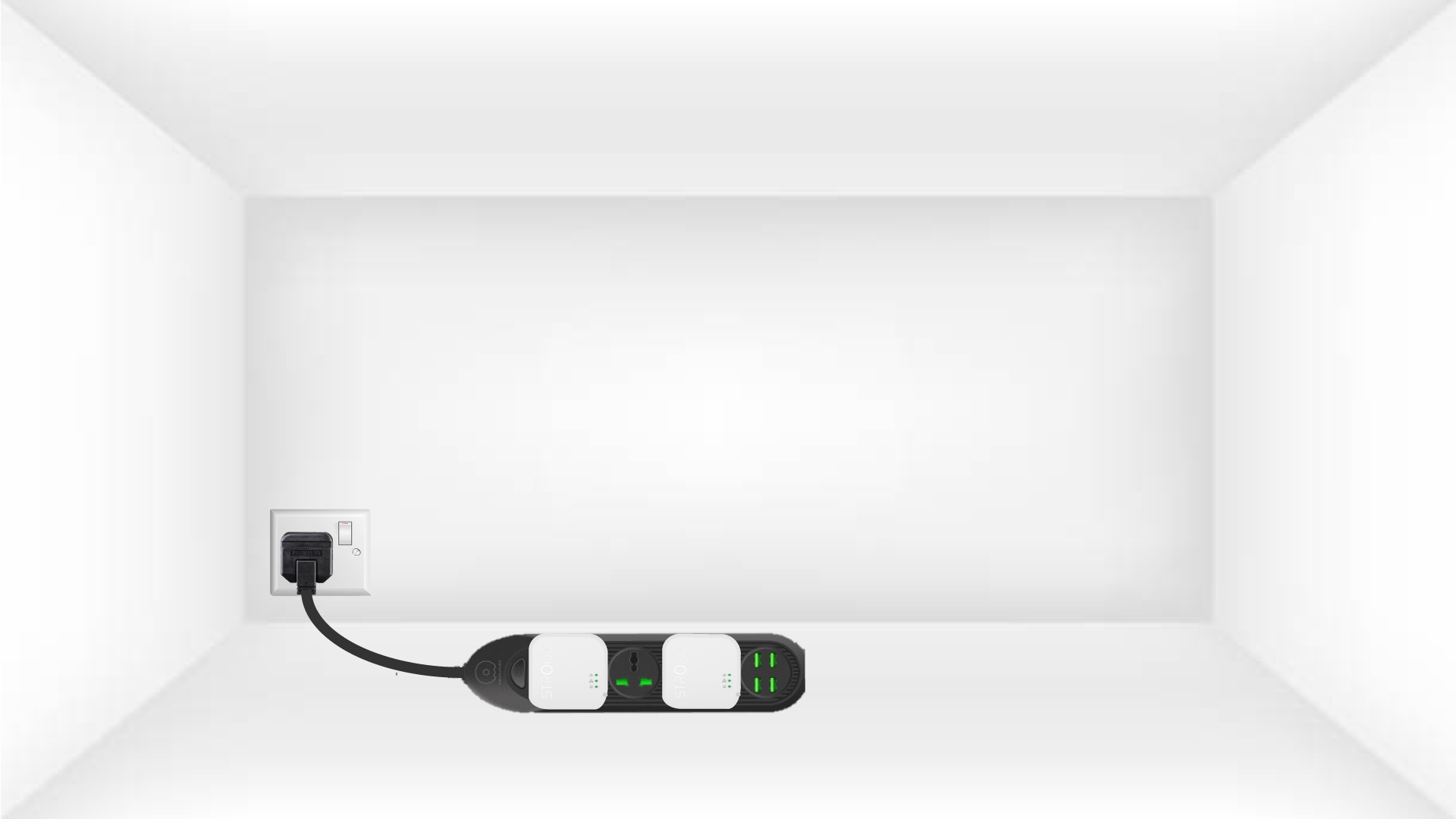
2Connect the adapters to the Internet
Connect one of the CPL adapters to the internet gateway/router with a RJ45 cable.
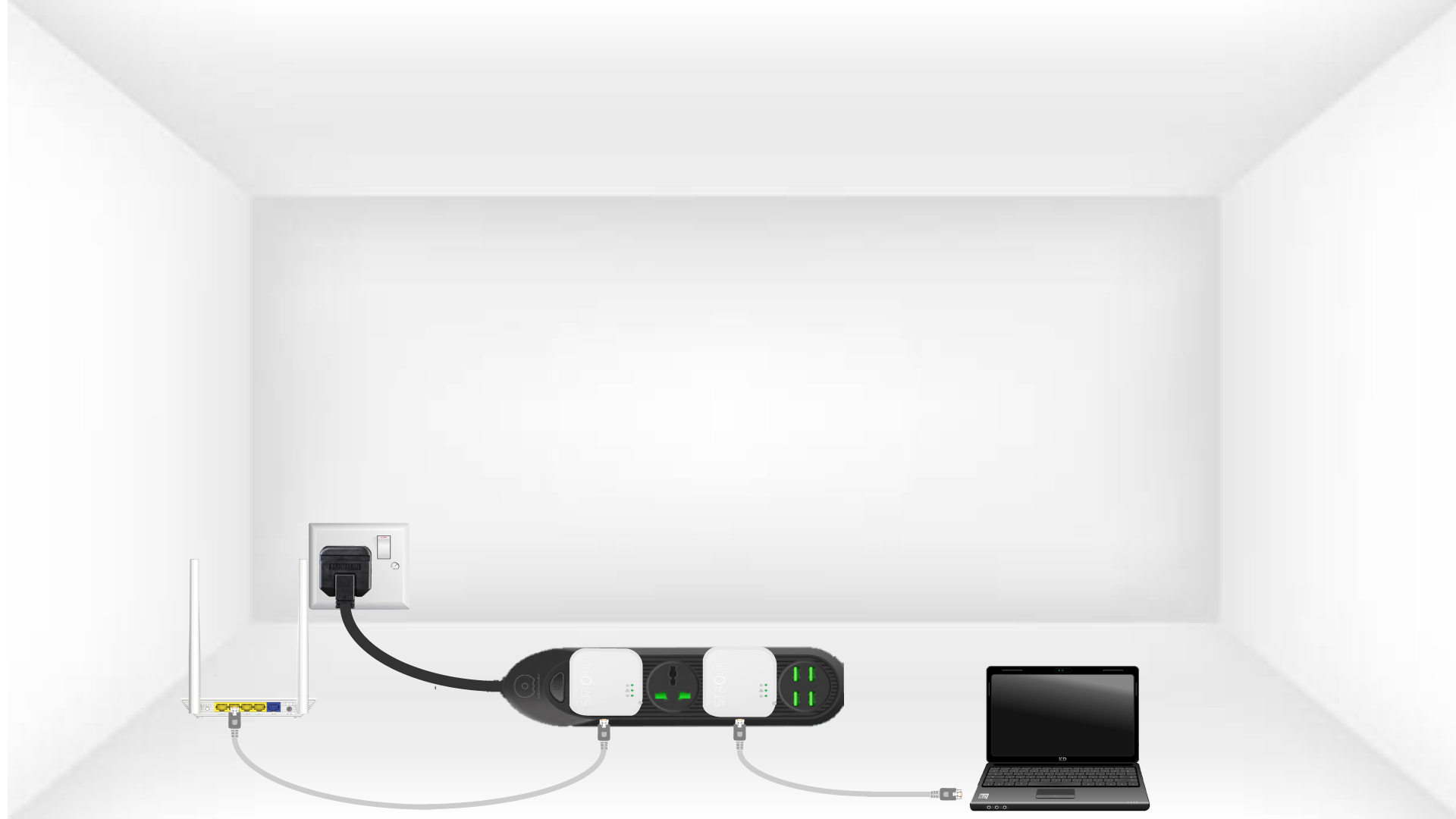
3Press the Connect & Secure button (first adapter)
Then, press the “CONNECT & SECURE” button for 2 seconds on the first device.

4Press the Connect & Secure button (second adapter)
Press the “CONNECT & SECURE” button on the second device for 2 seconds. You have up to two minutes to do it.

5Home LED blinks
The home led should blink on the two devices.
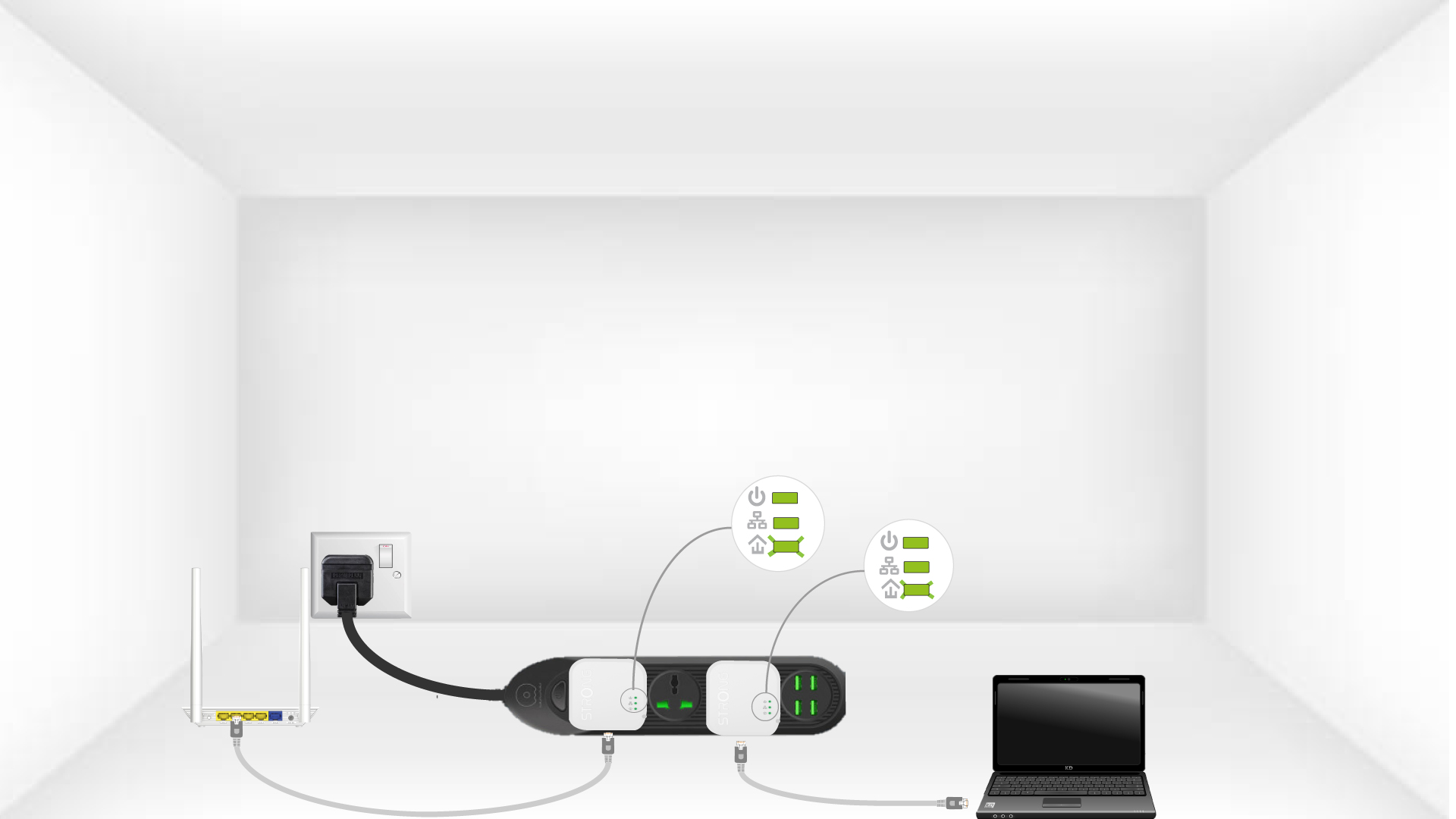
6The encryption key is set
Your unique encryption key is now set, and all the LEDs of the devices should be green.
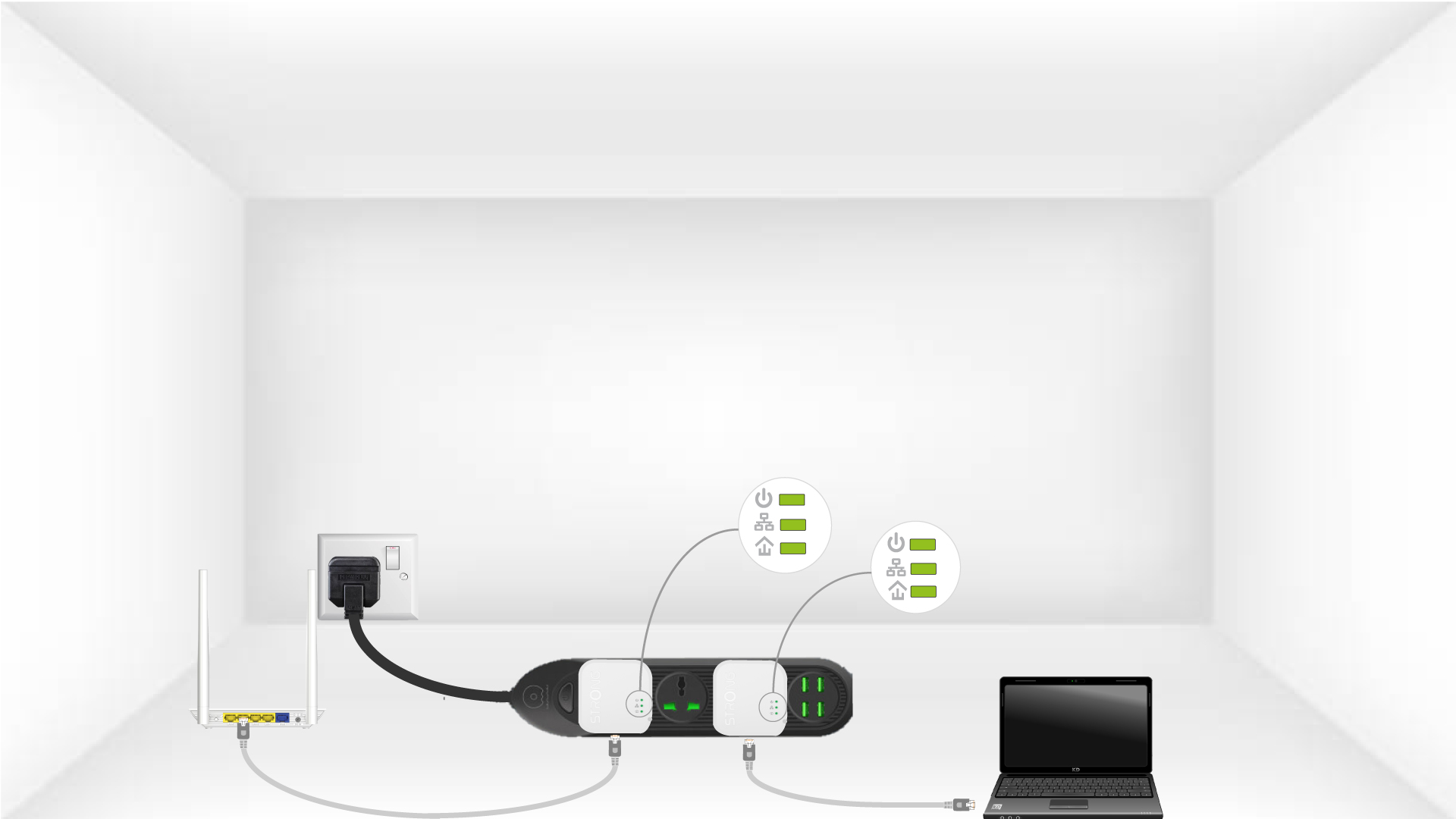
Now, you must install the adapters in the rooms where you need them. We strongly recommend not to put the adapters on a power strip.
I receive Internet via fibre, is a Powerline 600 Mini suitable?
A Powerline 600 Mini is sufficient, but it will not allow you to benefit from all the potential speed offered by your internet service provider. If you want a powerline network that matches your fibre optic speed, you must ensure that your electrical installation complies with standards and use powerlines equipped with Gigabit ports. Powerlines 1000, 1200, 1300 or 2000 are equipped with them.