No items found.
No items found.
Dual-light IP camera
All questions
No items found.
No items found.
Dual-light IP camera
How do I set up or manage my admin and user passwords in the NVR?
You can change the passwords of the different user profiles.
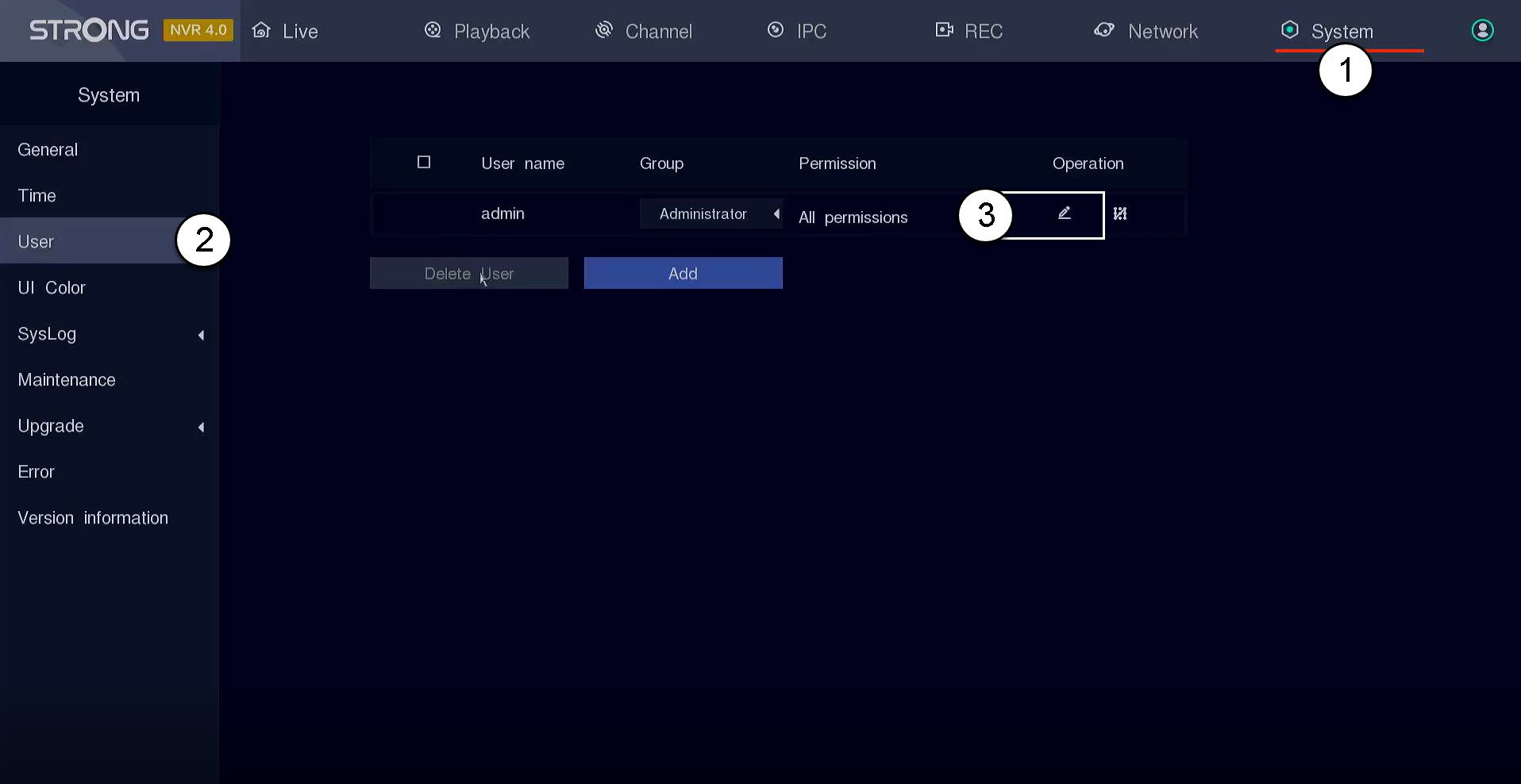
1Go to User Settings
Click System and User. Then, click the pen icon next to the user profile
2Change the Password
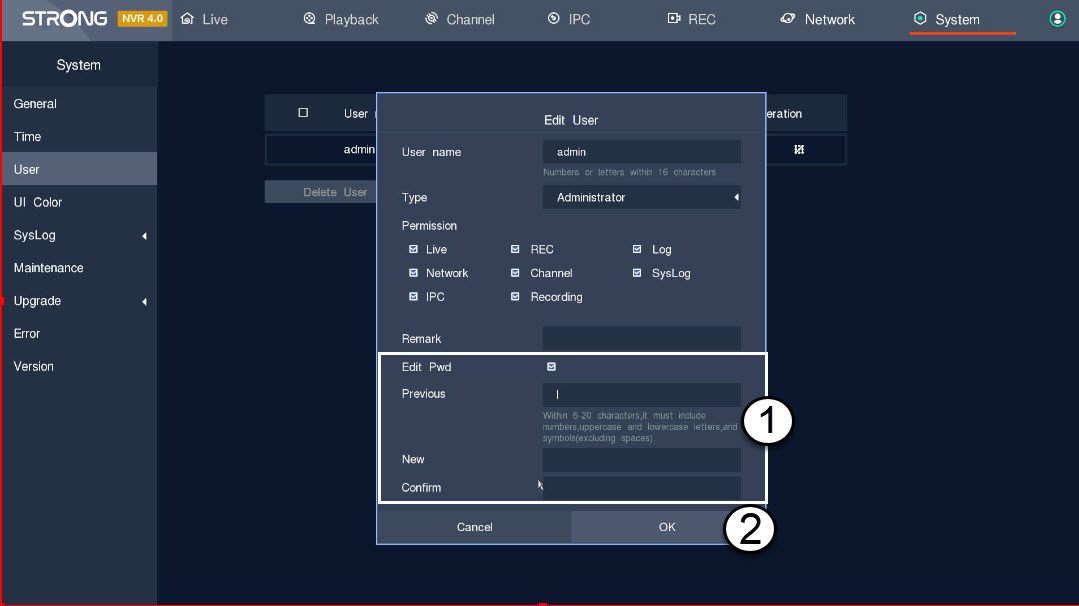
Enter the following information before clicking OK:
- Edit Pwd: Tick the box to edit the password.
- Previous: Enter your actual password.
- New: Define a password for the user. It will be used to login to the UI.
- Confirm: Enter the same password as the one that you previously defined.