12 CHANNELS NETWORK VIDEO RECORDER
All questions
12 CHANNELS NETWORK VIDEO RECORDER
How do I install my NVR and cameras?
Each camera is equipped with a Y cable that provides Network access (RJ45), power supply (12 VDC power supply not provided) and for some products, an audio output.
You can organise your network and connect your cameras to it in different ways.
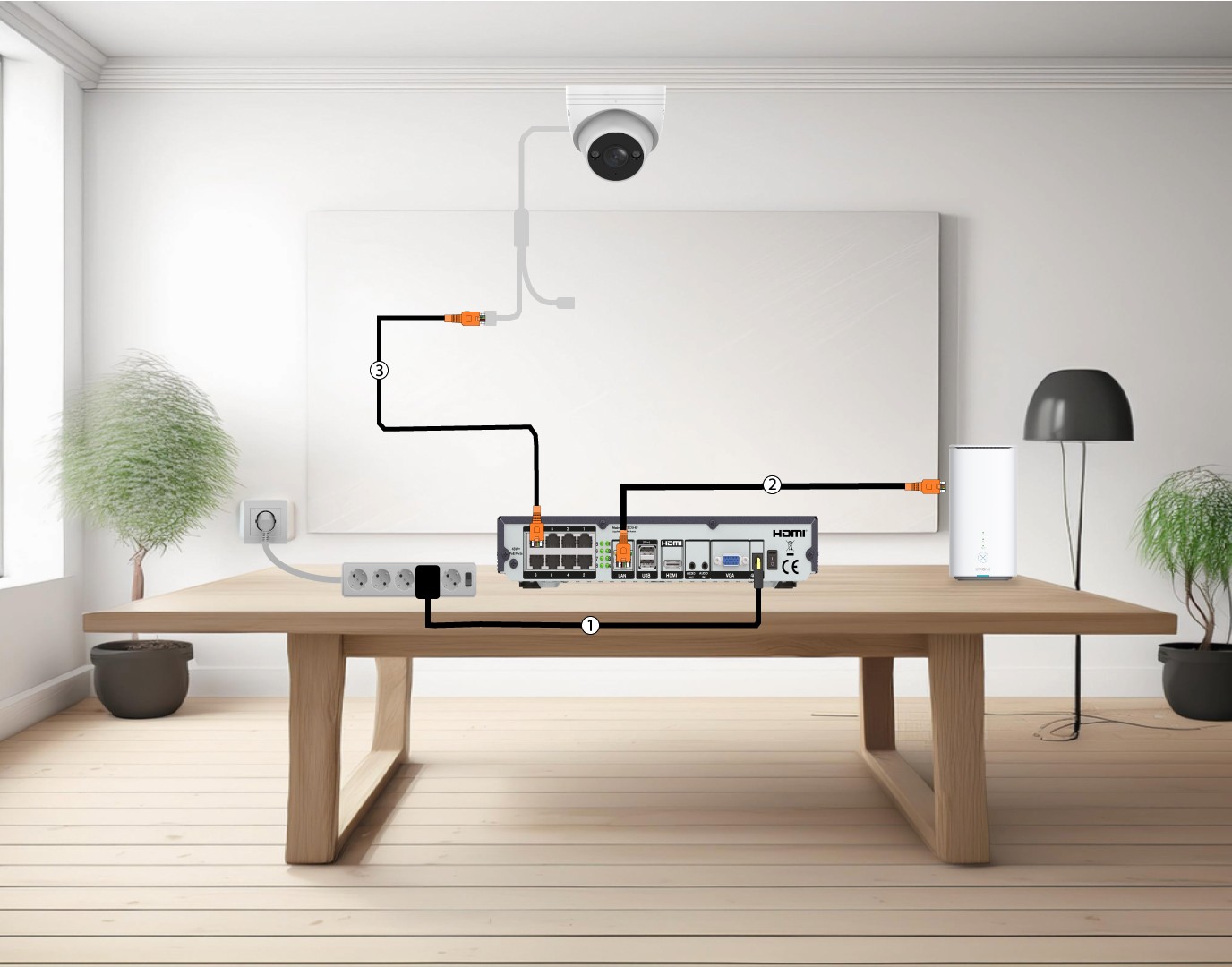
1Connect Cameras Directly to a NVR
Plug in your NVR (1) and insert an Ethernet cable from your NVR LAN port to your Internet Box (2). Then, plug an Ethernet cable from the NVR POE ports to the camera Ethernet port (3). The NVR will provide power to your cameras so you will not need to plug in a power cable.
2Connect your camera to a POE switch
To do so, plug in your POE switch (1) and connect your switch to the internet box with an Ethernet cable (2). Finally, connect your camera to the switch by plug in an Ethernet cable from the camera to the POE switch (3). In this case, Cloud Services are required to record.

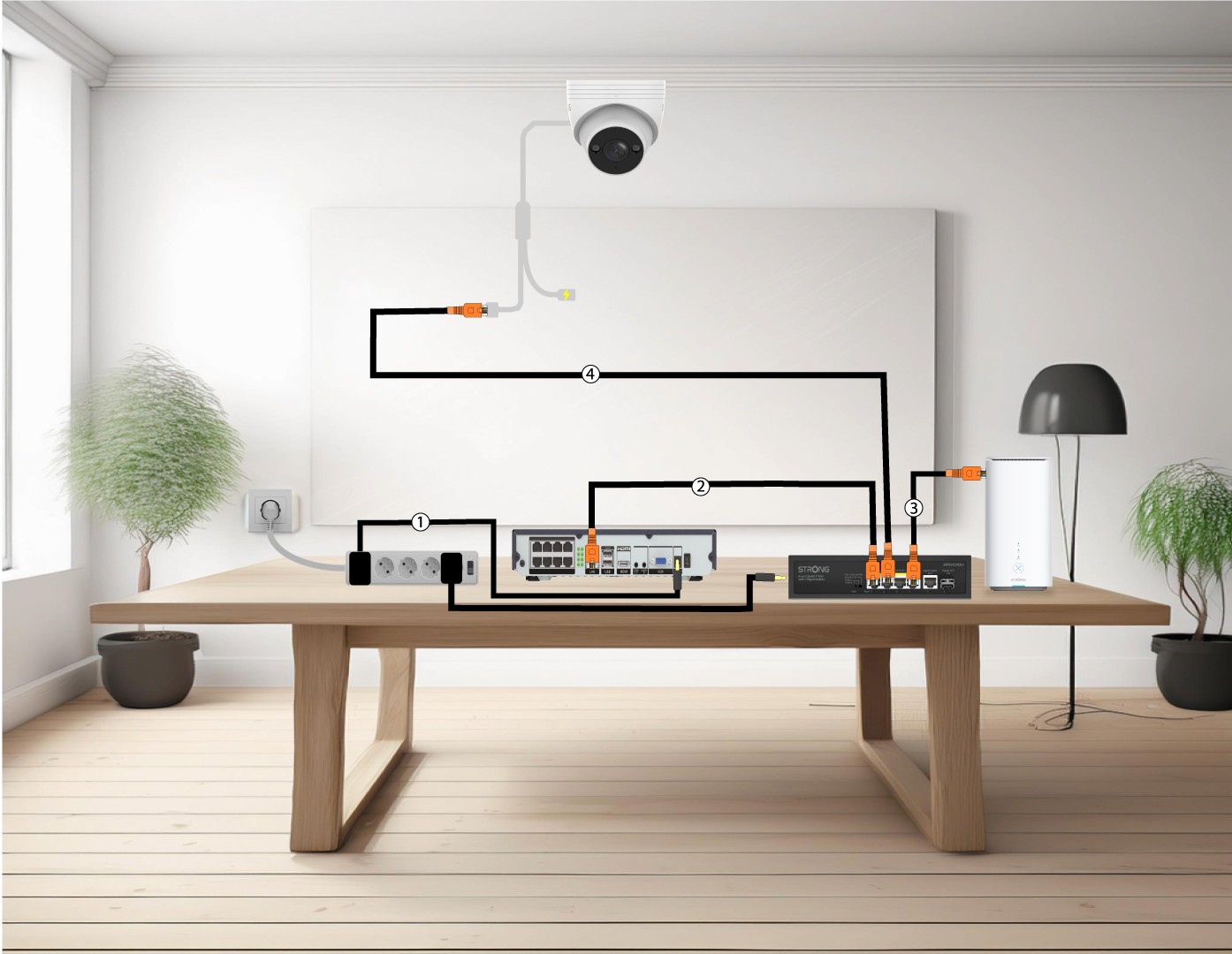
3Connect your cameras to a POE Switch with a NVR
To do so, Plug in the NVR (1), then insert an Ethernet cable from the LAN port of your NVR to your POE switch (2). Then, connect your switch to the internet box with an Ethernet cable (3). Finally, plug in an Ethernet cable from the camera to your switch (4).
4Connect your cameras to a Non POE switch and NVR
To do so, Plug in the NVR (1), then insert an Ethernet cable from the LAN port of your NVR to your switch (2). Then, connect your switch to the internet box with an Ethernet cable (3). Finally, plug in an Ethernet cable from the camera to your switch (4).

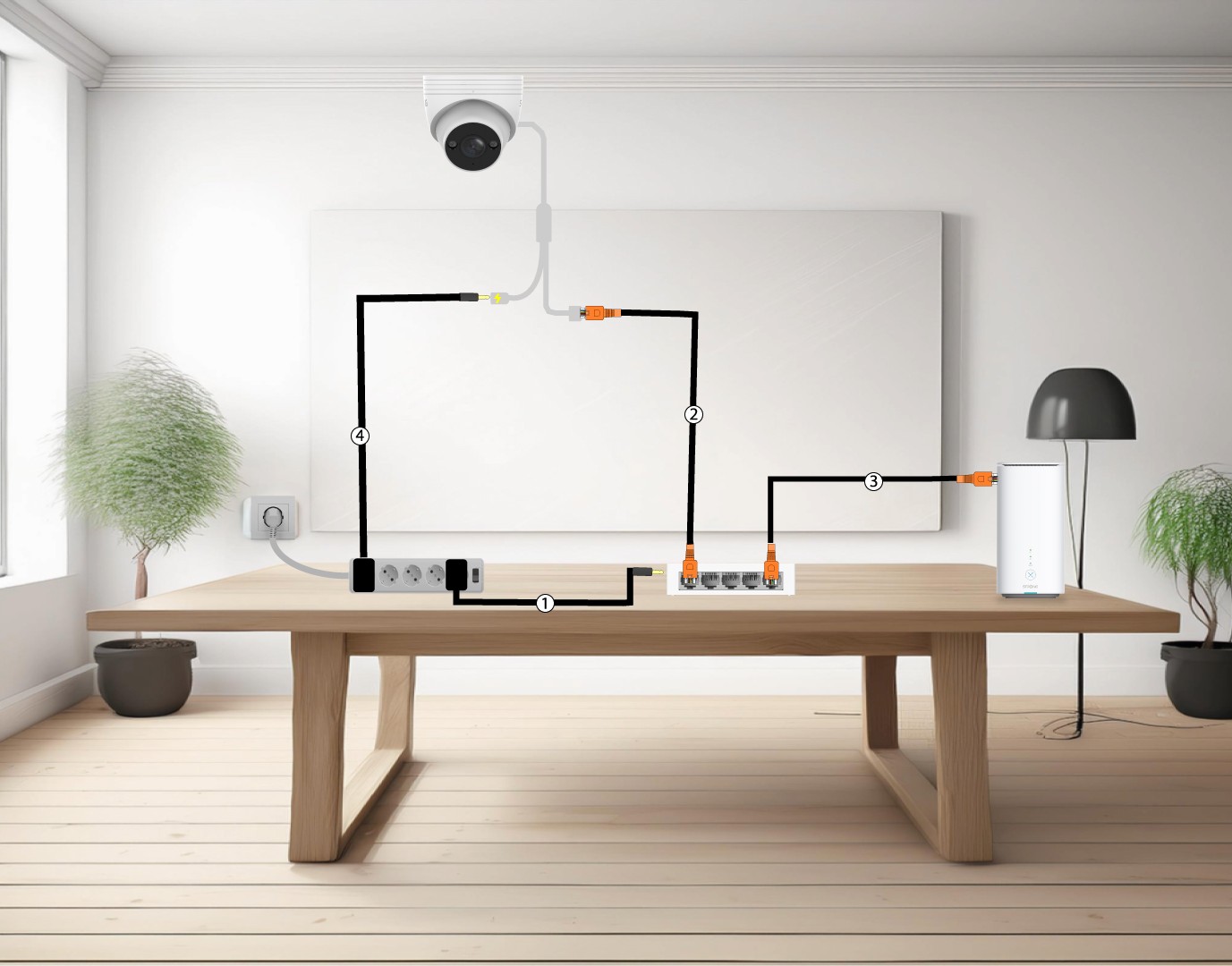
5Connect your camera to a Non POE Switch
To do so, plug in your switch (1) and connect your switch to the internet box with an Ethernet cable (2). Then, connect your camera to the switch by plug in an Ethernet cable from the camera to the switch(3). Pugin the power supply of your camera(4).
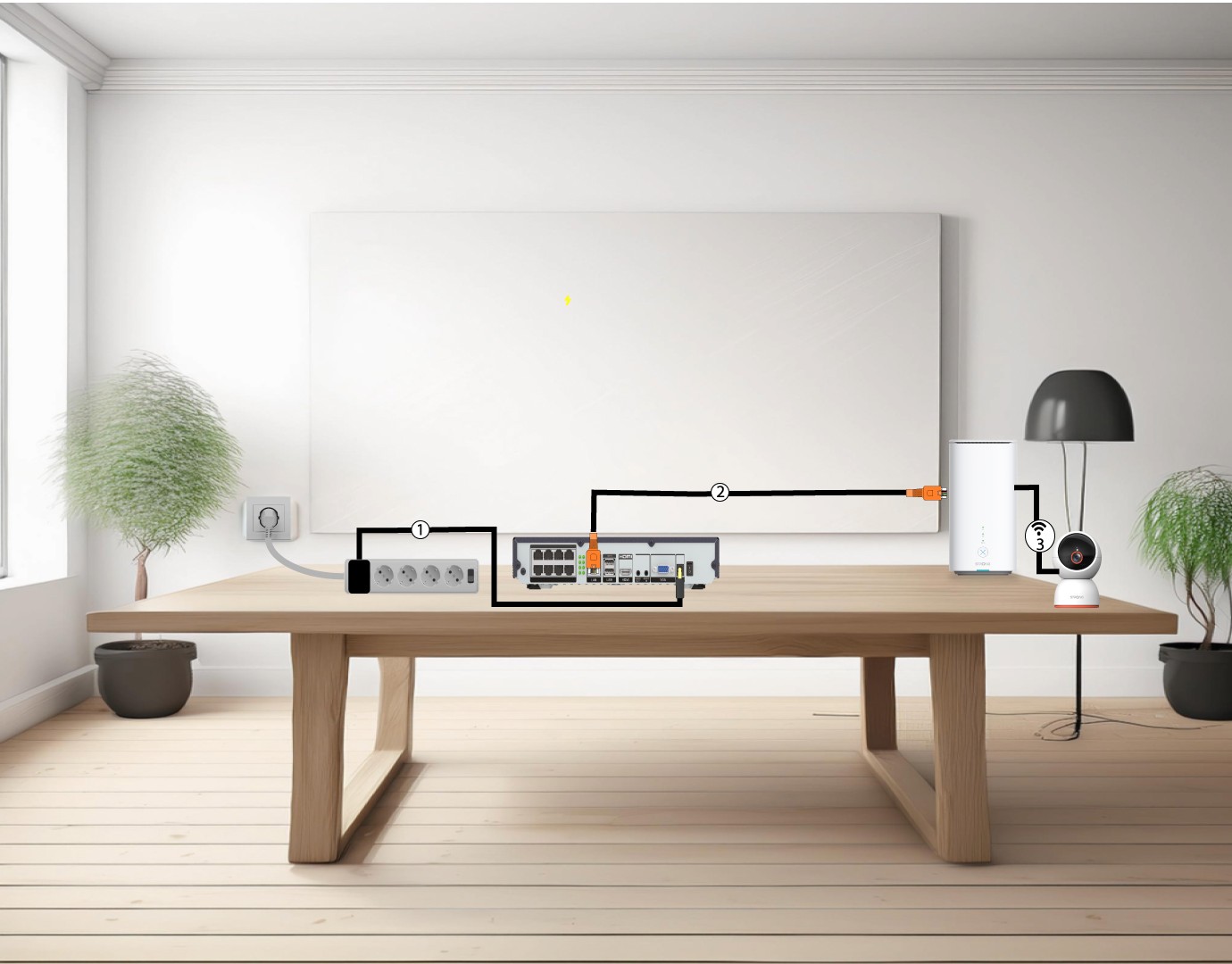
6Connect your cameras to the Wi-Fi
To do so, Plug in the NVR (1), then insert an Ethernet cable from the LAN port of your NVR to your internet box (2). Add your smart home camera to the Vision by Strong app and link it to your Wi-Fi Network (3), it will be automatically recognized by your NVR.